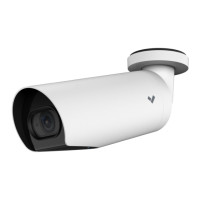
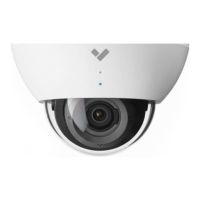
The Verkada CB51/CB61 Outdoor Bullet Camera is a robust surveillance device designed for outdoor environments, offering reliable video monitoring and advanced features for security applications.
Function Description:
The CB51/CB61 is an outdoor bullet camera primarily used for continuous video surveillance. It connects to a network via Power over Ethernet (PoE), allowing for both power and data transmission through a single cable. The camera is designed to be easily integrated into a Verkada security system, enabling remote monitoring, video storage, and management through the Verkada Command platform. Its bullet form factor makes it suitable for wall or ceiling mounting, providing a clear line of sight for various outdoor scenarios.
Important Technical Specifications:
- Power: The camera requires 802.3af/802.3at PoE for operation. For temperatures below -20° C, 802.3at PoE is recommended to ensure optimal performance.
- Connectivity: It uses a Cat5 or Cat6 ethernet cable with an outside diameter of 0.2-0.25 inches (5-6.5mm) for network connection.
- Mounting: The camera comes with a mount plate that can be secured to various surfaces. It also supports optional junction box adapter cover and mount plate for more versatile installation.
- Adjustability: The camera features a ball joint for pan, tilt, and rotate adjustments, allowing users to set the desired viewing angle.
- Cable Gland: An integrated cable gland assembly ensures a secure and weather-resistant connection for the ethernet cable.
- Security Screws: T8 and T25 security screws are used to secure various components, including the cover collar and the ball joint, enhancing tamper resistance.
- Status LED: A multi-color LED provides visual feedback on the camera's operational status:
- Solid orange: Camera is on and booting up.
- Flashing orange: Camera is updating firmware.
- Flashing blue: Camera is recording but cannot reach the server.
- Solid blue: Camera is running, connected, and streaming video.
- Optional Cable Exit: The design includes an optional cable exit point and a 3/4" NPT threaded connection for alternative cable routing and mounting options.
Usage Features:
- Easy Setup: The camera is designed for straightforward installation. Users can connect the camera to a PoE port and then use a smartphone or laptop to access www.verkada.com/start for registration and setup. A QR code is provided for quick camera registration.
- Remote Management: Once connected, the camera can be managed remotely through the Verkada Command platform, allowing users to view live streams, adjust settings, and access recorded footage.
- Adjustable Viewing Angle: The camera's ball joint allows for flexible adjustment of pan, tilt, and rotation, ensuring optimal coverage of the surveillance area. The image orientation can be flipped 180° online in Command if needed.
- Secure Installation: The use of security screws for the cover collar and ball joint helps prevent unauthorized tampering and ensures the camera remains in its set position.
- Weather Resistance: The outdoor bullet camera design, including the cable gland assembly, is built to withstand various outdoor conditions, protecting internal components from environmental elements.
- Firmware Updates: The camera supports over-the-air firmware updates, indicated by a flashing orange LED, ensuring it always runs the latest software with new features and security enhancements.
Maintenance Features:
- Cable Gland Assembly: The cable gland is designed to be easily disassembled and reassembled for cable routing and connection, while maintaining a secure and weather-tight seal.
- Removable Cover: The outer cover is removable, allowing access to the internal components for initial setup, cable connection, and potential servicing.
- Tool-Based Adjustments: Adjustments and securing mechanisms rely on standard T8 and T25 security torx keys, which are provided with the camera, simplifying maintenance and ensuring proper tightening.
- Status LED Diagnostics: The integrated status LED provides immediate visual diagnostics of the camera's operational state, helping users quickly identify and troubleshoot connectivity or firmware issues without needing to access the Verkada Command platform.
- Online Support: Verkada provides detailed installation instructions and support resources at www.verkada.com/support, offering guidance for troubleshooting and maintenance.

 Need help?
 General

 To Next Page