3
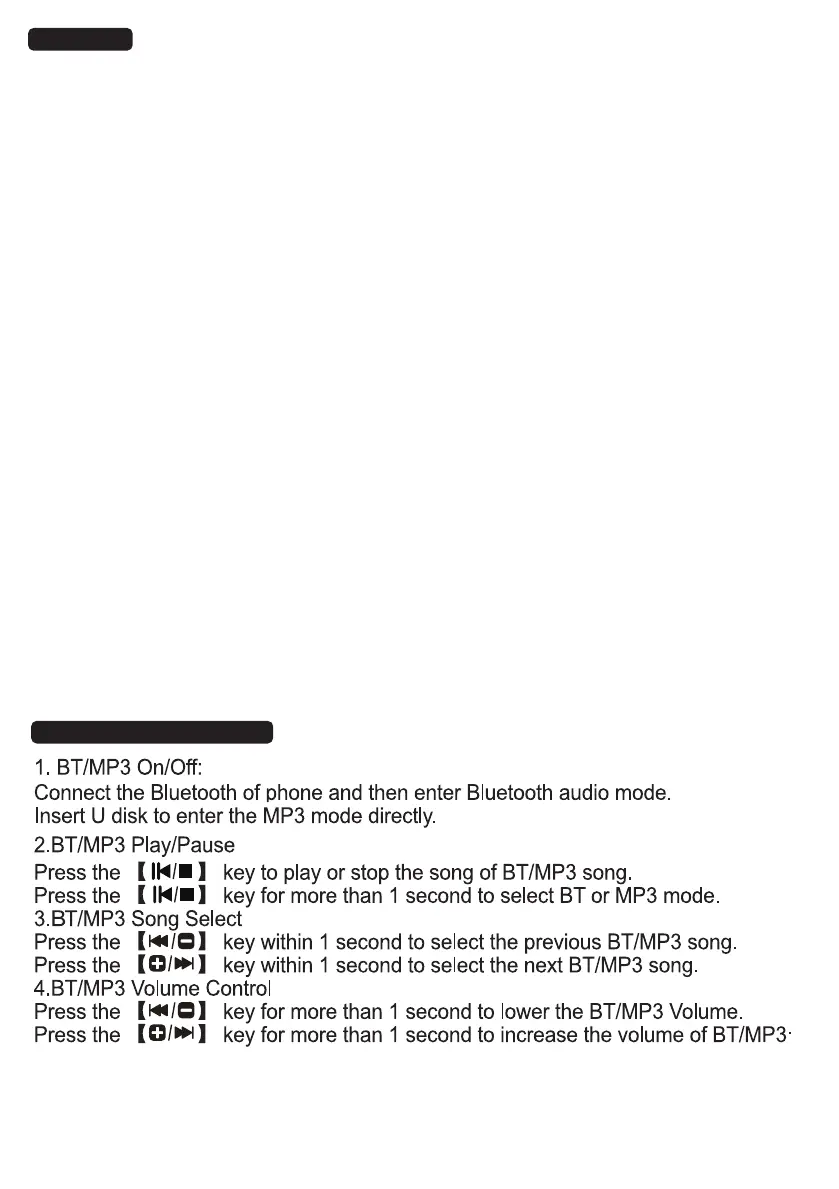
14.Bluetooth/MP3 mode
13. MENU
* Press the 【MENU】key for the seventh time to enter the keyboard light
mode, LED display ON/OFF, you can use the Choose +/- key to set it, the
keyboard light default is ON.
(this feature is available only with the keyboard light version)
Press the【MENU】key for the first time to enter the velocity setting mode, LED screen
show "1", You can ON/OFF the velocity by using the Choose +/- key.
Press the【MENU】key for the second time to enter the dual-keyboard setting mode,
LED screen show "2",You can Open/Close dual-keyboard by using the Choose +/- key.
When the dual keyboard function is activated, the scales of the left keys
A1~B4 will be played as A2~B5, and the right keys C5~C9 will be played as C4~C8.
Press the【MENU】key for the third time to enter the dual-tone setting mode, LED
screen show "3",You can Open/Close dual-tone by using the Choose +/- key.
Press the 【MENU】 key for the fourth time to enter the volume of rhythm setting mode,
LED screen displays "4". You can set the volume of rhythm value by using the
Choose +/- key. The accompaniment volume control has 15 segments (0 ~ 15) , The
accompaniment volume key controls the volume of rhythm, chords, and drum.
Press the 【MENU】 key for the fifth time to enter the speed of rhythm setting mode.
LED screen displays "5". You can set the speed of rhythm values by using
the Choose +/- key. The speed control has 270 sections (30 ~ 240).
Press the 【MENU】 key for the sixth time to enter the shift setting mode, LED screen
displays "6", you can set the shift values by using the Choose +/- key. There are 25
(-12 ~ 12) of the shift control. Hold on Choose +/- key for more than 1 second to
continuously increase/decrease shift. The chord tone also changes with the
shift values change.


 To Next Page
 Loading...