1 Work indicator: normal work: white light (with real-time monitoring
function for normal work)/noise reduction function: green light/Turn off
real-time monitoring: blue light
2 Normal work/noise reduction function/ear-back monitoring
function: press the button to switch modes in a loop; turn the knob from left
to right to adjust the microphone volume
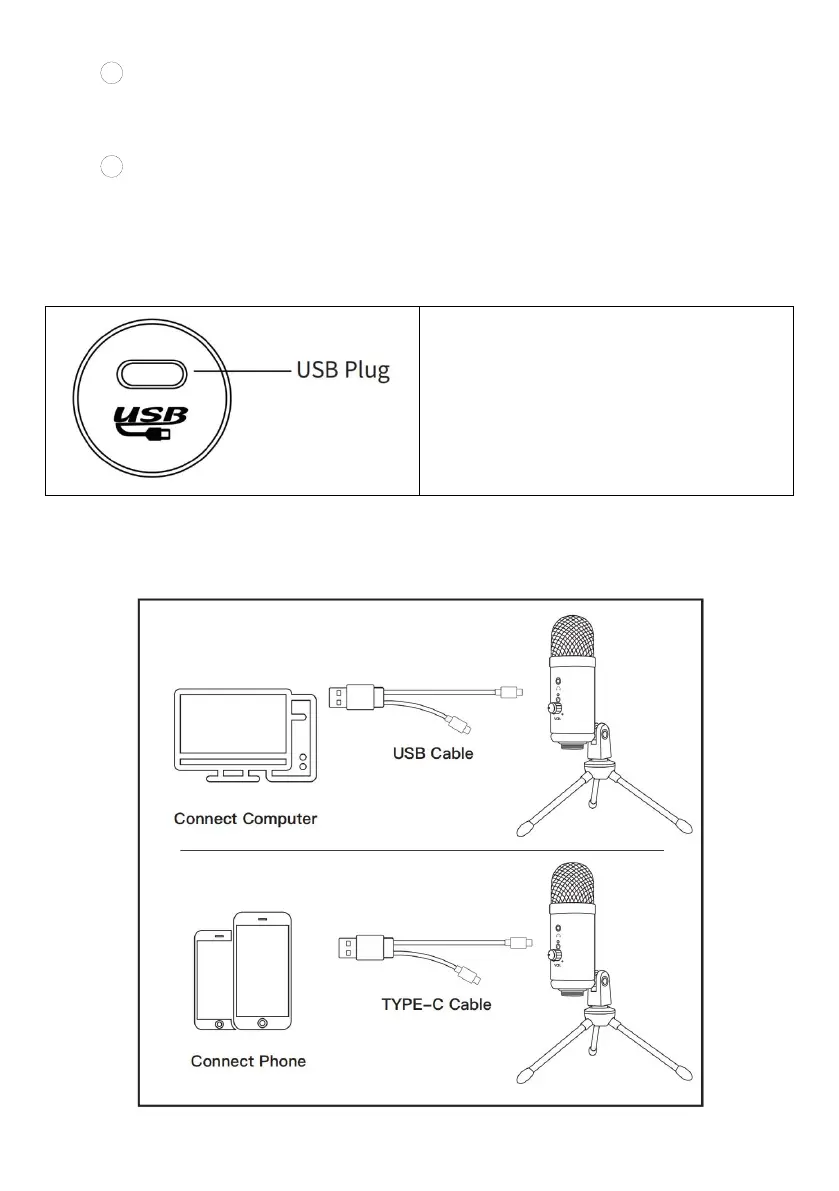
Microphone connection
Insert a USB cable into the power
socket of the microphone, and then
connect the other end to the
computer, the power indicator will
turn blue under normal working
conditions.
Note: Two connecting lines are configured, and different connecting
lines can be used to connect the mobile phone (TYPE-C interface) or
computer according to requirements.



 To Next Page