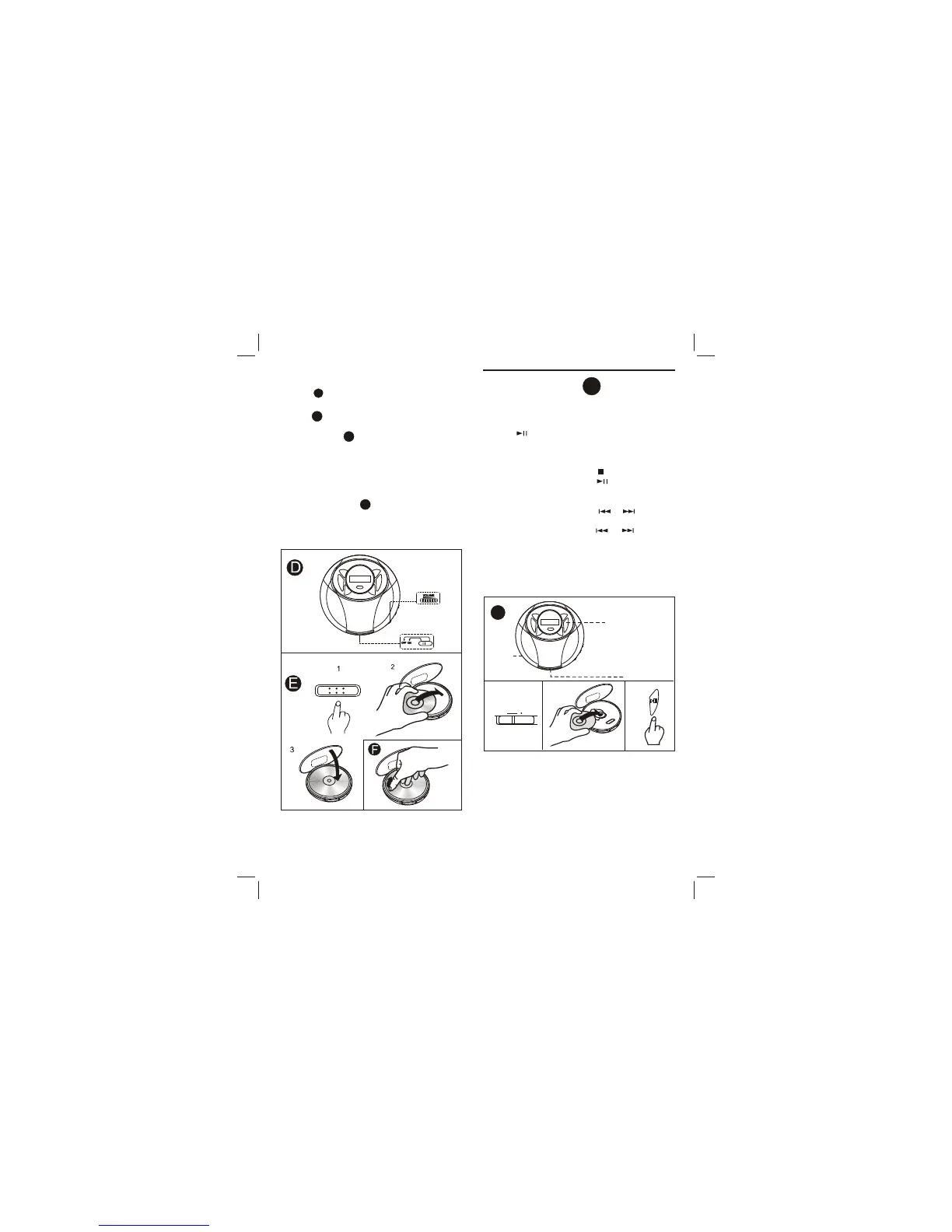
PLAYBACK
G
Playback starts from the first track.
3. Press PLAY/PAUSE
2. Place a disc.
1. Release HOLD to OFF position.
Connect the supplied
headphone
to
the
PHONE
jack.
BASIC OPERATION
To stop: Press STOP
To pause: Press PLAY/PAUSE
To resume, press it again.
To search for the
beginning of a track: Press or
To locate a
desired
passage:
Keep
or
Pressed.
Release the button until the
start of desired passage.
G
11
33
2
2
1
OFF ONOFF ON
HOLDHOLD
3
Adjusting the sound
Volume
Turn the VOLUME control to adjust the volume.
X-BASS
Switch on the X-BASS for extra bass emphasized.
D
D
the pivot gently.
Pick up the disc, holding its edge, while pressing
To remove the disc
F
3. Close the disc compartment.
2. Place a disc in the center with the label side
facing up.
1. Push the OPEN switch to open the disc
compartment
Inserting a disc E
3
BASS


 To Next Page