English
07
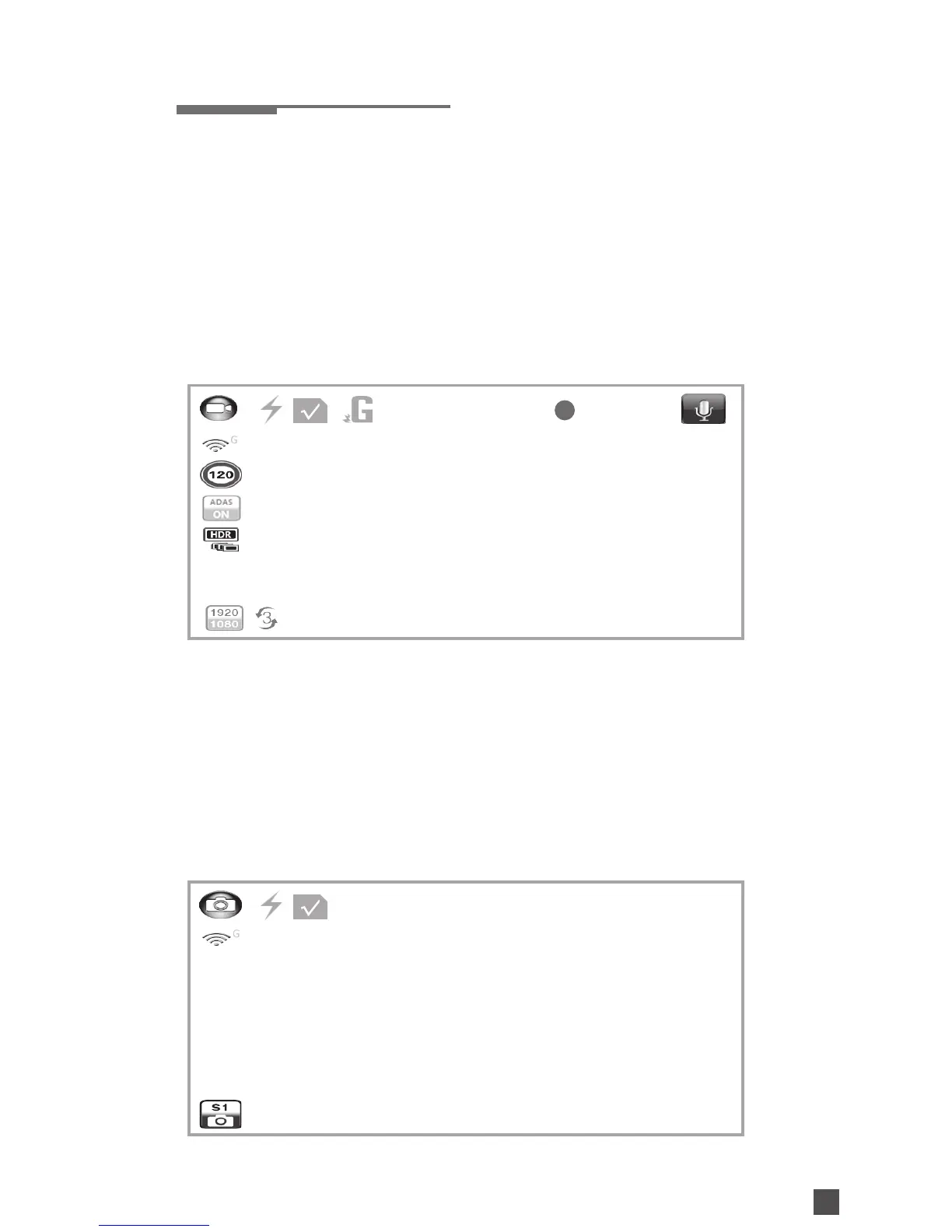
Main Display Icons
Recording Mode Interface
Icons on the left side bar
(from top to bottom) :
Recording Mode /
GPS Indicator /
Speed Warning setting /
ADAS /
HDR / EV / Recording Resolution /
Loop Setting
Icons on the upper side bar (from
left to right) :
Recording Mode /
Power /
Memory Card /
G-Sensor Function Indicator /
Current Time /
Mute
Icons on the upper side bar (from
left to right) :
Snapshots Mode /
Power /
Memory Card /
Photo Size
Stop recording→Press DOWN to
switch between modes.
Snapshots Mode Interface Switch Modes
000:19:48
0.0 EV
PHOTO:02/50


 To Next Page