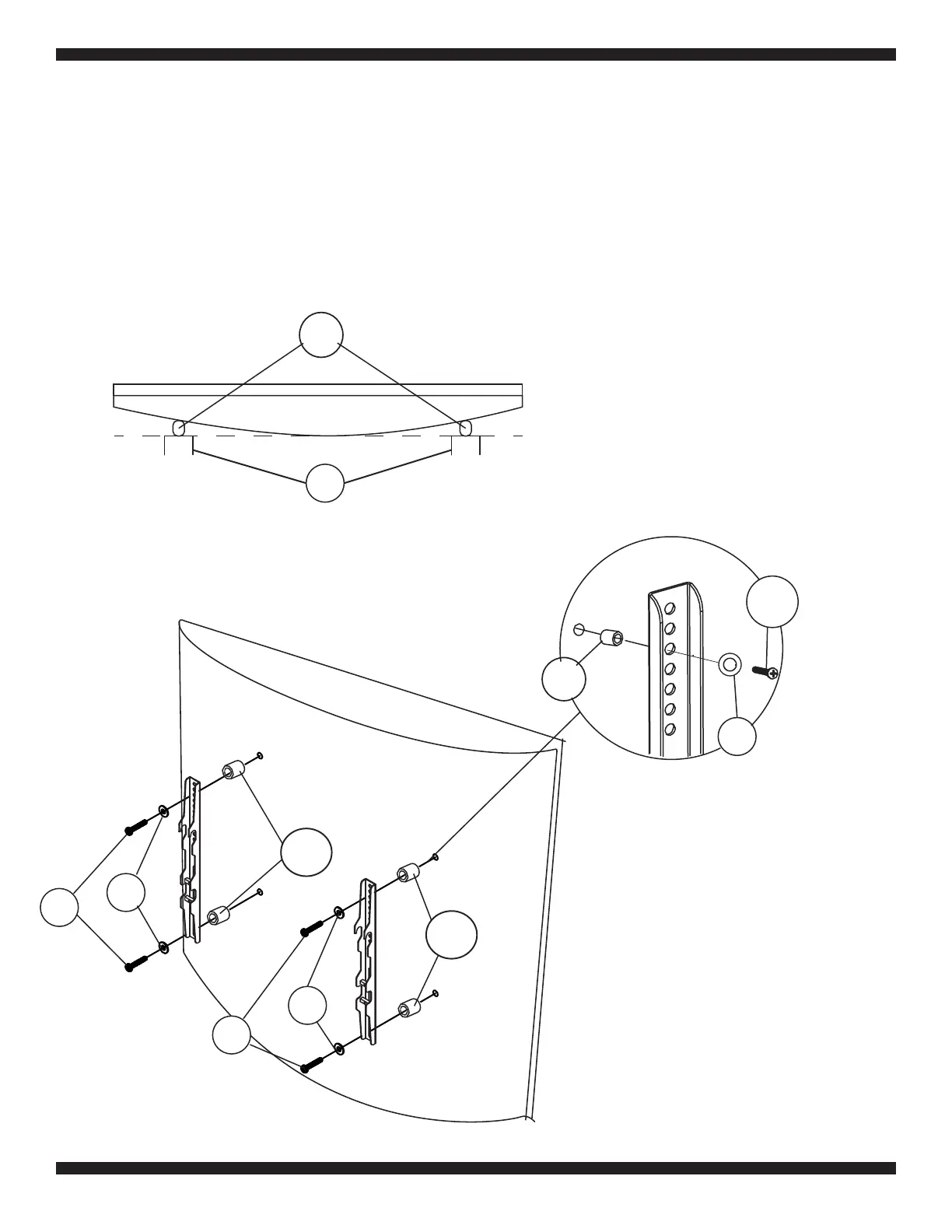
Fig. 1b
Attach the TV Bracket to the rear of the TV cont’d
Fig. 1c
D-K
L-M
N-O
If your television has a curved back, and the mounting holes are recessed (Fig 1b) spacers are
required. Install the proper size Spacers (L-M) between the TV rear and the bracket structure as
shown in Fig 1b. to make sure the Brackets (2) extend past the rounded portion of the TV. Then use
the selected Bolts (D-K), Washers (N-O), and the Allen Wrench (4) to attach the bracket structure
(with the spacers between the bracket and the TV) to the TV as shown in Fig 1c. Make sure the
bracket structure is properly aligned on the rear of the TV and securely tighten the bolts. Do not over
tighten.
Fig. 1d
6
N-O
L-M
D-K
N-O
L-M
2
D-K
L-M


 To Next Page
 Loading...
