681 Anita Street Suite 104 - Chula Vista, CA 91911
(800) 878-4056 - (619) 670-4412
www.videoteldigital.com - sales@videoteldigital.com
Setting up a photo slide show
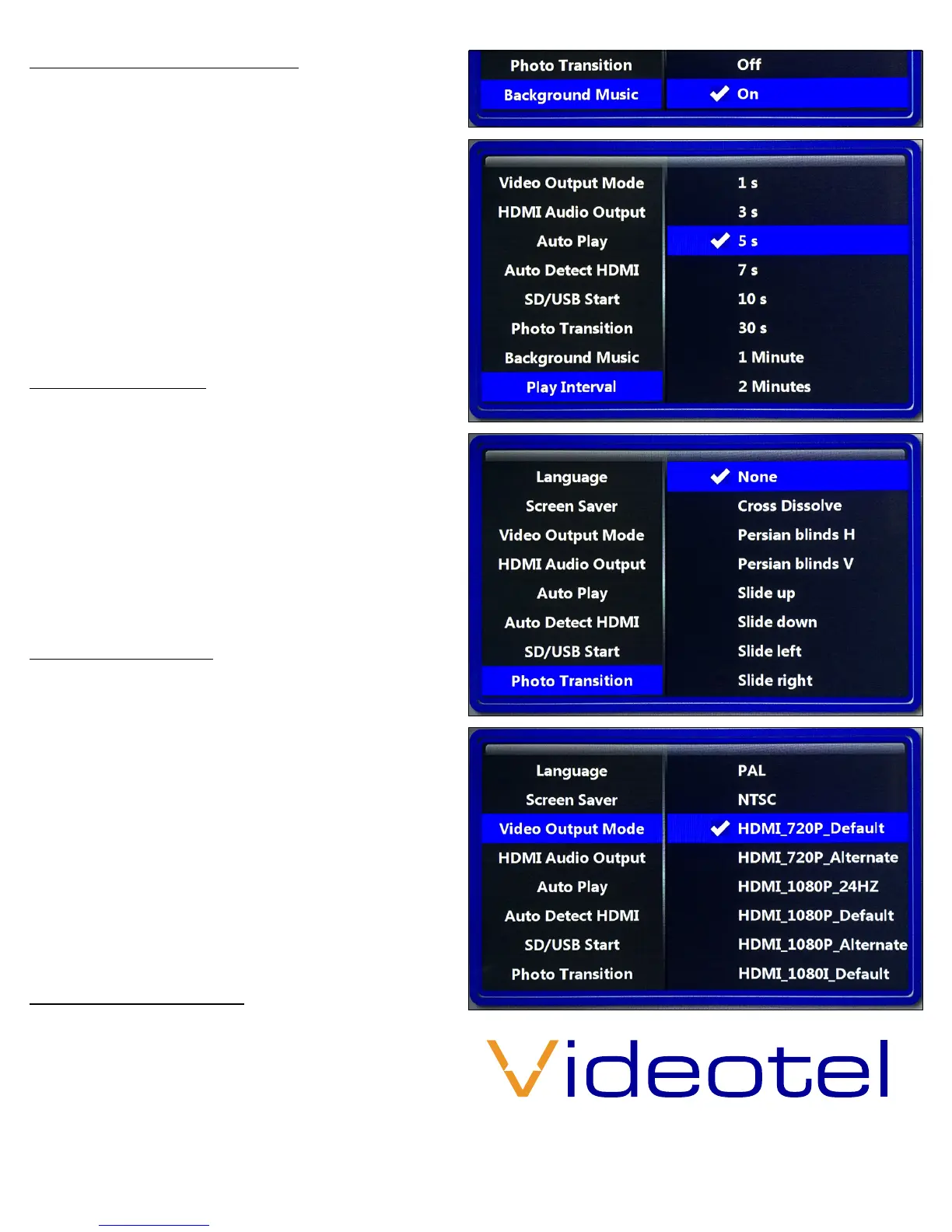
By default if you load photos onto your SD/USB
the player will auto start and rotate through all
the pictures every 5 seconds using “Cross Dis-
solve” Transition. If you wish to add background
music, you must rst change the “Auto Play” op-
tion to “Photo” (7), and then turn on “Background
Music” (8). The delay between photos can be
changed from 1 second to 5 minutes using the
“Play Interval” option (9). There are also 14 photo
transitions available under the “Photo Transition”
menu option (10).
Video output mode
When using HDMI you can change your resolu-
tion size from 720p to 1080p depending on what
your TV is capable of. Note: Some TV’s will not
sync correctly with the “default” option, in these
cases use the “alternate” selection. If you wish to
use the AV jack and RCA cables you can activate
this output by selecting NTSC (USA Standard) or
PAL. HDMI and AV can not be active at the same
time.
Other menu options
Language - Choose from 15 dierent languages
Screen Saver - This option will generate a screen
saver (Vidoetel Logo) to move around the
screen when no activity is detected. Available
options range from o to 2 hours.
Audio Output Mode - Not active on VP70 LTE
Auto Detect HDMI - When set to o, you can set a
resolution to be used under the Video Output
Mode option which will be used regardless of
the HDMI “Handshake”
SD/USB Start - This only applies if you have and
SD and USB card loaded at the same time.
Limited 2 Year Warranty
Videotel warrants the VP70 LTE+ to be free from
defect in material and workmanship. Warranty
shall be limited to a period of 2 years from invoice
date. Warranty shall not cover products that are
found to be defective due to customers improp-
er operation, accident, misuse, mishandling or
damage occurring during transportation.
(8)
(9)



 To Previous Page
 Loading...