www.vietapro.com
2. Bluetooth
1) Power on the speaker and enter to Bluetooth mode, or
you can short press the M button to switch to the Bluetoo
th mode. The Working status indicator light will twinkle in
green
2) Turn on the Bluetooth of your phone, search for nearby
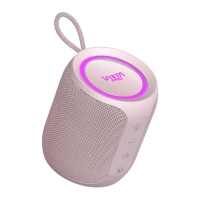
devices The Vieta Pro Easy 2 will be found on your mobile
pairing list, please connect it When connected, the
speaker will prompt "Connected" and the operation indica
tor will stop twinkling and turns to solid green
3) Turn on the mobile or other devices' music player, the
speaker will play the selected music
4) The speaker will pair with the latest used Bluetooth
device automatically when devices are in the paring range
Long press the button to disconnect the current
Bluetooth connection
VI*T/I
pRO


 To Next Page