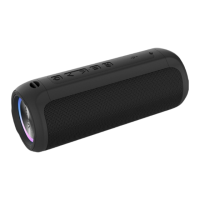
2. Bluetooth Mode
1) Bluetooth Paired
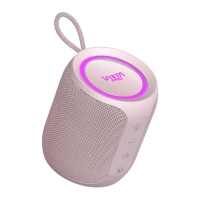
The light indicator will twinkle when you power on,Now please
turn on the Bluetooth function of your mobile/other devices. And
start to search for Bluetooth devices, the “VM-BS29” will be found,
please connect it. When connected, the speaker will prompt “Device
paired” and the light indicator will stop twinkle in blue.
Short press the button can enter the Bluetooth mode directly.
2) Bluetooth Music
Please turn on the mobile or other devices’ music player, and speaker
will play the selected music.
3) Mobile Hands-free Communication
Answer the call
Short press button to answer the call
End the call
Short press button again to end the call
Redial the call
Double press button can dial back the last phone call(the calling
out one)
Private call
Short press or to switch the call between the speaker and
cellphone
4) Disconnect the Current Bluetooth Connection
Long press button to disconnect the current Bluetooth
connection.he speaker will prompt “Device disconnected”. Then other
Bluetooth devices can find and pair with the speaker.
5) TWS (True Wireless Stereo) function
Power on two VM-BS29 Speakers and switch both two speakers to
Bluetooth mode.


 To Next Page