EasyManua.ls Logo

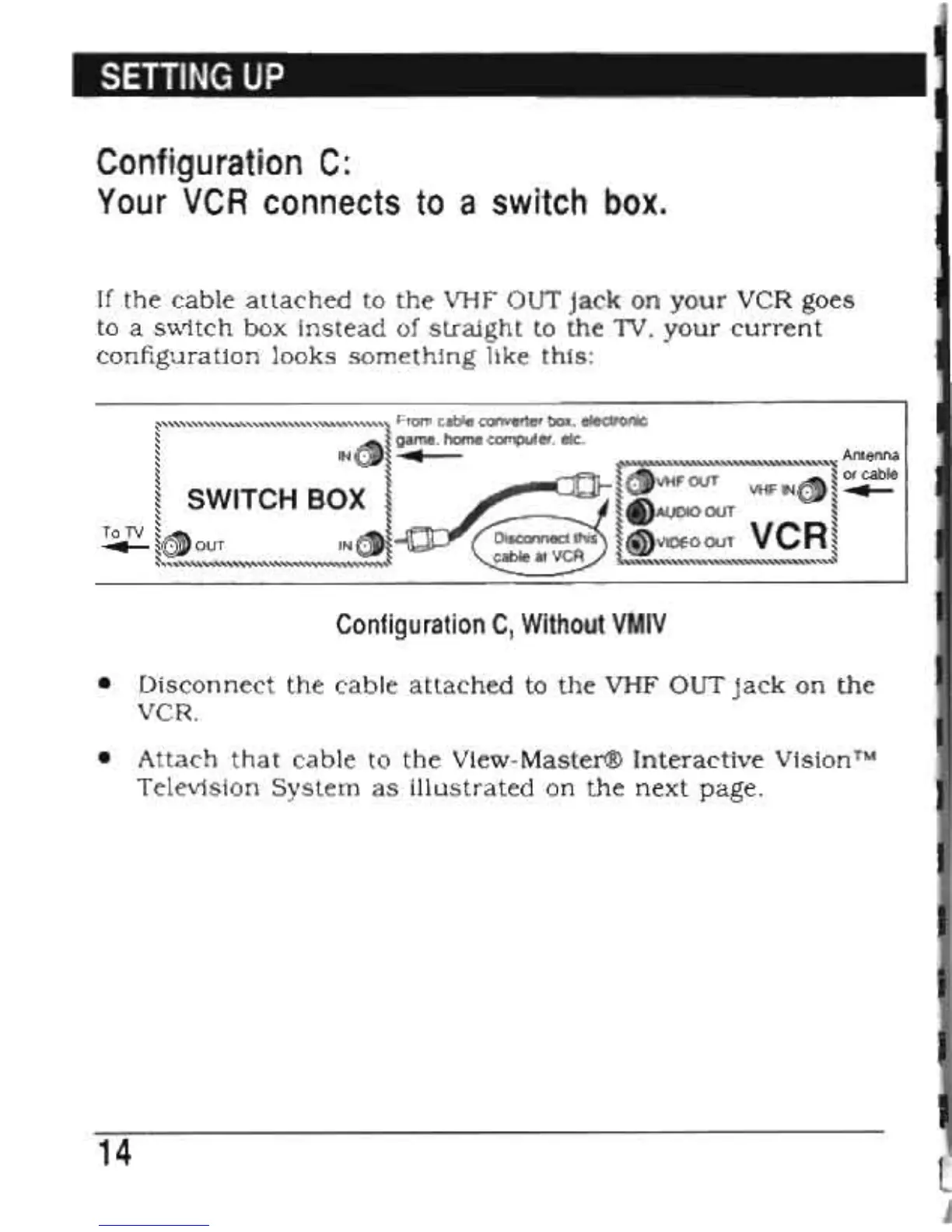
View-Master Interactive Vision - Configuration C: Switch Box Connection

Default Icon
28 pages
Print Icon
To Next Page IconTo Next Page
To Previous Page IconTo Previous Page
Loading...
SETTING
UP
Configuration
C:
Your
VCR
connects
to
a
switch
box.
If
the
cable
attached
to
the
VHF OUT
jack
on
your
VCR
goes
to a
switch
box
instead
of
straight
to
the
1V,
your
current
configuration
looks
something
like
this:
~"""':,
..
,:,:,:,,",
..
,:,:,,""",
..
,:,,'
..
,
..
,:,:,,":,:,:,:,,~
From cable converter box, electronic
~
~~
game, home computer, etc. ,
~
IN
~~
...
'\"""""""""""""""""'"
Antenna
S
~
~
SWITCH BOX
~
S
~
~
~
~
QJvVHF
OUT
SAS\
~
or cable
VHF
IN~
~
...
~s
'
~
~
~
..,AUDIO
OUT
~
T.TV
~((JOUT
IN®l~
~<iDVIDEOOUT
VCR~
~~"""""""""""""""""'~
s.""""""""""""""""",-'
Configuration
C,
Without
VMIV
Disconnect
the
cable
attached
to
the
VHF
OUT
jack
on
the
VCR.
Attach
that
cable
to
the
View-Master®
Interactive
Vision™
Television
System
as
illustrated
on
the
next
page.
14