18
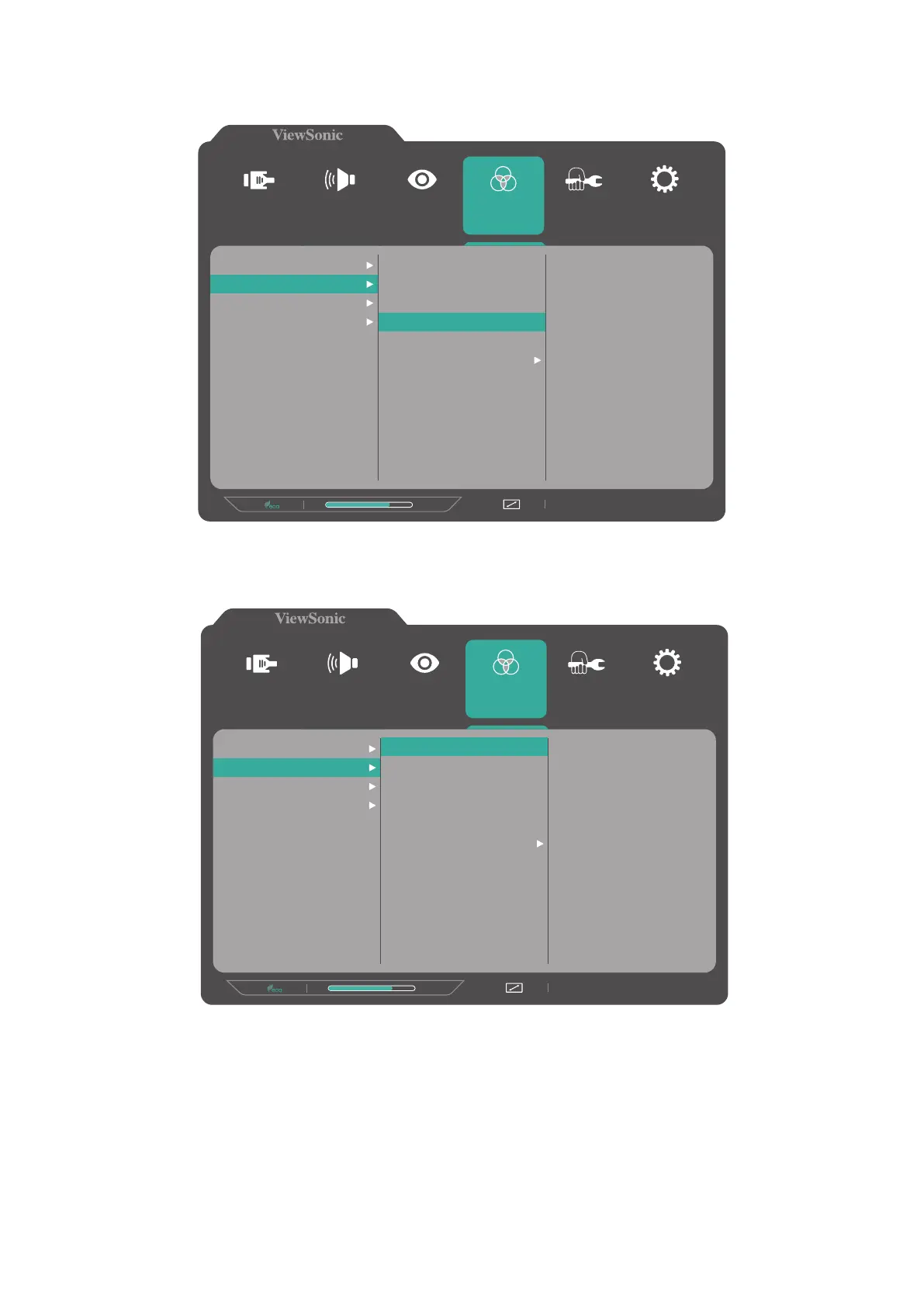
3. Move the Joy Key (↑/↓) to select the desired menu opon. Then move the Joy
Key (→) to enter the sub-menu.
1920 x 1080 @ 60 Hz
75%
Setup Menu
Color Adjust ViewMode
Manual Image
Adjust
Input
Select
Audio Adjust
Contrast/Brightness
Color Temperature
Color Space
Color Range
sRGB
Bluish
Cool
Native
Warm
User Color
4. Move the Joy Key (↑/↓) to adjust/select the seng. Then move the Joy Key (→)
to conrm.
1920 x 1080 @ 60 Hz
75%
Setup Menu
Color Adjust ViewMode
Manual Image
Adjust
Input
Select
Audio Adjust
Contrast/Brightness
Color Temperature
Color Space
Color Range
sRGB
Bluish
Cool
Native
Warm
User Color
Note: Certain menu opon adjustments do not require the user to move the
Joy Key (→) to conrm the selecon. Follow the key guide to select the
opon or make adjustments.
5. Move the Joy Key (←) to return to the previous menu.





 To Next Page