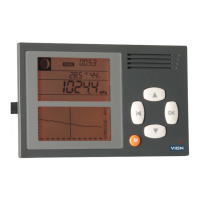
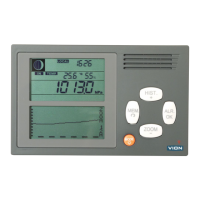
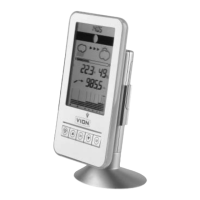
Menu
Press the orange button for a while and you enter the menu:
MENU
>pressure alarm, you can set a drop, increase or target alarm.
alarm clock, you can set the alarm clock
settings, you set language, time date, units, pressure, backlight,
buzzer and reset.
SETTINGS
>language Choose between English, French, German, Spanish, Italian, Swedish, Dutch or Danish.
time date Choose time format, time, date, year, dual time, +1 hour and -1 hour.
units Choose pressure, altitude and temperature units
pressure Choose altitude
backlight Choose backlight level
buzzer Choose beep and alarm volume
reset Resets to factory default settings
NEW: If you keep pressing the up button the pressure and temperature will be shown in “opposite” units. When you
release the button the display returns to the chosen units.
Generally if no button is pressed within 30 seconds the display returns to the barograph display.
Issue we have noticed August 20th 2021:
If the instrument has been turned of and you turn it on and don’t initialize the instrument by setting the time the alarm
will not work.
When setting the time the alarm will work again.
The quick way of checking the alarm: Go to MENU > pressure alarm > choose target and press OK. The alarm will
sound.
Setting the time: Go to MENU > settings > time date > choose time and set the time.
Technical specifi cations
Absolute air pressure accuracy:
±0,5hPa @ 0-50°C, resolution 0,1 hPa within the working range. Working range is 900 to 1.100 hPa.
Temperature accuracy:
±0,5°C @ 25°C, resolution 0,1°C within the working range. Working range: 0 to 50ºC (32 to 122ºF).
Accuracy falls linearly from 25ºC to the range boundaries: From ±0,5ºC to ±1,25ºC.
Humidity accuracy:
±4,5%, resolution 1% within the operating range 0 to 100%.
Clock: Accuracy within ±30s per month.
Måløv 20/8-2021
Peter
www.delite.dk


 To Previous Page
 Loading...