9
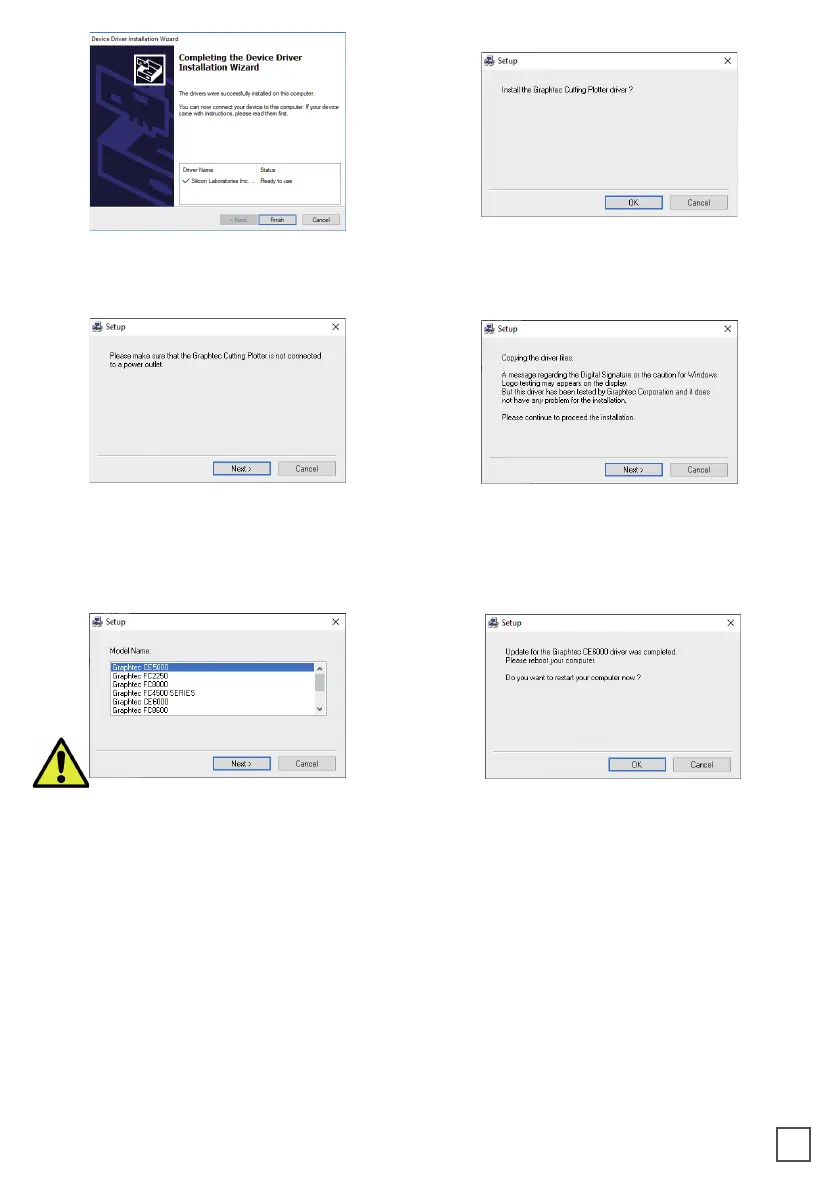
9. Click OK
10. Click NEXT (Remove the Virgo USB
from your pc, and turn o the unit)
11. Click NEXT
12. Choose the right model name of your
CE7000-40
Click NEXT
13. Wait until the sign “Update for
the Graphtec CE7000-40 driver was
completed” shows up. You may need to
restart the computer.
Click OK
The installation is completed. A CuttingManager shortcut is displayed on your desktop
8. Click FINISH



 To Next Page