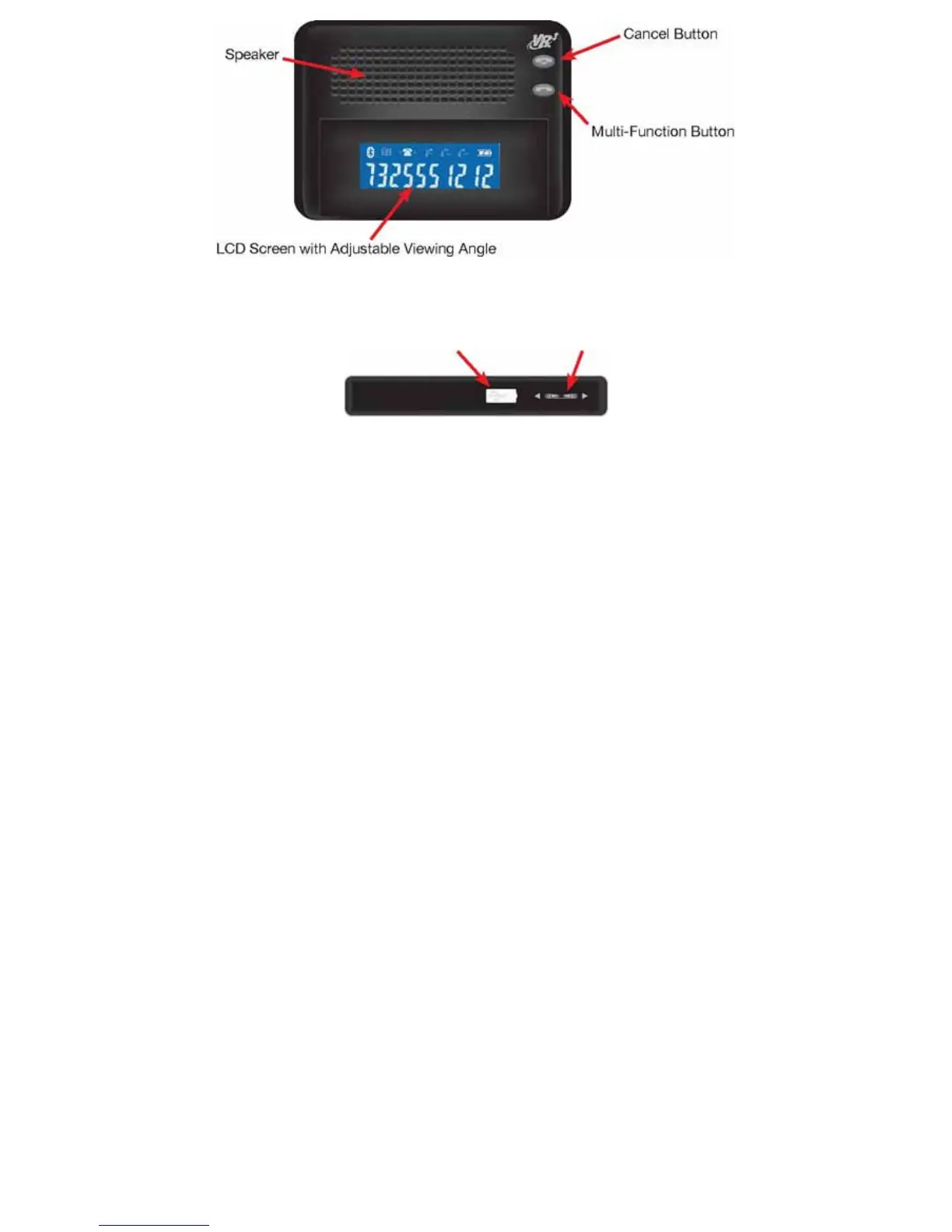
USB Port with Protective Cover 3-Way Button
Top View of Unit
Controls
Cancel Button ....................... End Call
.......................Reject
Call.......................Exit Phone
Book
Multi-Function Button....................... Power
ON/OFF.......................Pairing.......................Answer
a Call.......................Re-Dial.......................Voice
Dial.......................Call Forwarding.......................Dial
by Number
Three Way Button.......................Adjust
Volume.......................Mute.......................Enter
Phone Book
2


 To Next Page