2 of 3 pages
1) DMX mode
CH No. DMX VAULE FUNCTION
CH1 000~255 Red(dim→bright)
CH2 000~255 Green(dim→bright)
CH3 000~255 Blue(dim→bright)
CH4 000~255 White(dim→bright)
CH5 000~255 Amber(dim→bright)
000~189 Dimmer(dim→bright)
190~250 Flash(slow→fast)
CH6
251~255 No function
11.
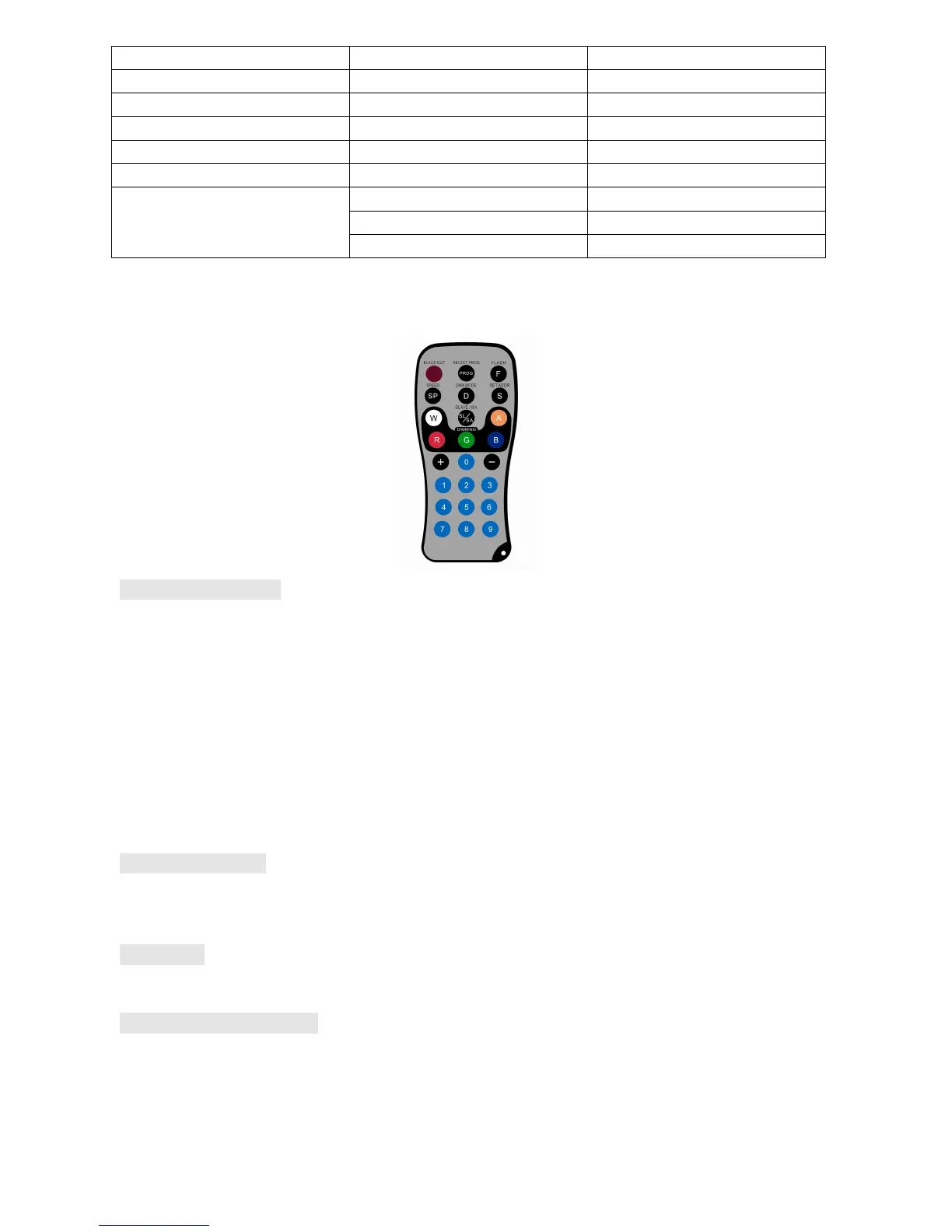
Operation by IR remote
:
You can also operate this product by IR remote, the maximum operating distance is 10M.
Select program Mode
Press PROG button to select static colour, snap change, colour fade or auto run mode. Each press of this button
will change to the next mode.
1. When the LED par goes into the static color select mode press “+” and “-” or button 1-9 to select the static
colours. You can also press FLASH to turn on/off flash and press “+”and “-” to adjust the flash speed.
2. When the LED par goes into the snap change mode, you can press SPEED to set the color change speed and
press “+”and “-” to adjust it. You can also press FLASH to turn on/off flash and press “+”and “-” to adjust the
flash speed.
3. When the LED par goes into the colour fade mode,you can press SPEED to set the fade speed and press “+”
and “-” to adjust it. You can also press FLASH to turn on/off flash and press “+”and “-” to adjust the flash speed.
4. When the LED par goes into auto run mode you can press FLASH to turn on/off flash and press “+”and “-”
to adjust the flash speed.
Sound Active Mode
Press SL/SA button to cycle between slave mode and sound active mode. Each press of this button will change
modes. When the the LED par goes into sound active mode, you can press “+” and “-” to adjust the sound active
sensitivity level.
M/S mode
Press SL/SA button to cycle between slave mode and sound active mode to choose slave mode. Each press of
this button will change modes.
Select light program mode
Press R/G/B/W/A to choose R/G/B/W/A colours, pressing “+” and “-” buttons to adjust the intensity of the
light. Press FLASH to turn on/off flash effect, pressing “+” and “-” buttons to adjust the flash speed.



 To Next Page
 Loading...