Routing The Coaxial Cable
Coaxial Cable is quite fragile and must be handled
with care. Please comply with the following as
failure to do so will severely affect performance.
1.
Should the coaxial plug be removed, it is very
important that it is refitted correctly as
described below.
2. Do not crush, kink or over-bend the coaxial
cable, which has a minimum bend radius
of 25mm.
3. Any excess cable should be removed and
MUST NOT be coiled.
4.
Avoid increasing the number of connections
or breaks in the coaxial cable as they will
reduce performance, especially in weak
signal areas.
5. Do not run coaxial cable next to mains
cable, leave a minimum distance of 120mm
to prevent interference.
6. Do not allow the cable to come into contact
with any hot surfaces as this could melt the
air-spaced insulation of the cable.
7. Keep away from fluorescent lighting.
8. When installation the coaxial cable, Do not
feed through by pulling on the coaxial plug.
9.
Do not add excessive lengths of coaxial cable,
this will cause increased TV signal losses.
10. Should the cable need to be lengthened, use
only RF100 specification cable and high quality
coaxial plugs and couplers which are
available from our Vision Plus Range through
our dealers or directly from ourselves.
IMPORTANT GUIDELINES
Connecting an F-Connector
Should the F-Connector need to be removed,
please note how it comes apart and reassemble
as follows:-
1. Remove 10mm of white outer sheath.
2. Pull back evenly the copper braiding.
3. Remove 6mm of the insulation.
4. Screw the F-connector on to the cable.
Keep turning until the central insulation
is flush inside the plug
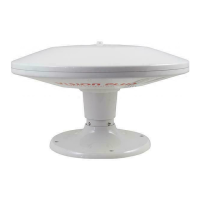
STATUS 330 - Digital Antenna
User Guide
Please read these instructions carefully. Incorrect
installation will affect the performance of your Status
Technical:
04/2075/5 Model - Coaxial cable 5 metres
04/2075/10 Model - Coaxial cable 10 metres
Diameter - Antenna Dome 315mm
Diameter - Mounting Foot 185mm
Height Overall 280 mm
No Pinnacle 180 mm
No Antenna Dome 50 mm
Power Amplifier
115 x 46 x 28mm
Frequency Range UHF 470-860 MHz
Amplifier Gain 18 db
Gain Adjustment - Min 15 db
Flatness
+
1.5 db
Noise Figure 2.8 db
Output Impedence 75 ohms
Output 98 dbuv
Power Supply 10.8-28 vDC
Power Consumption 55 ma
RETAIL VP2
FAULT FINDING
The following are some of the key areas we
suggest you check which generally solve the most
common problems encountered with the operation
of the Status antenna.
Coaxial Connections
It is critical that all connections in the system are
fitted correctly. Using the diagrams and procedure
described over the page, please check each
individual plug ensuring it is wired correctly.
Secondly please ensure only quality plugs have
been used.
Coaxial Cable
Sharp bends, kinks and hot surfaces can easily
damage coaxial cable and should be avoided. An
inspection of the cable routing is recommended
to ensure all is correct. Coaxial cable, if placed in
close proximity to electrical cables, transformers
or other pieces of electrical equipment, may pick
up electrical interference causing picture quality
to deteriorate, especially in poor reception areas.
Excess cable should be removed and NOT coiled
as this may cause picture distortion. An inspection
of the routing of the cable is highly recommended
to ensure all is correct.
Pinnacle
The pinnacle is essential for the optimum
performance of the antenna and therefore should
be in place when the antenna is in use.
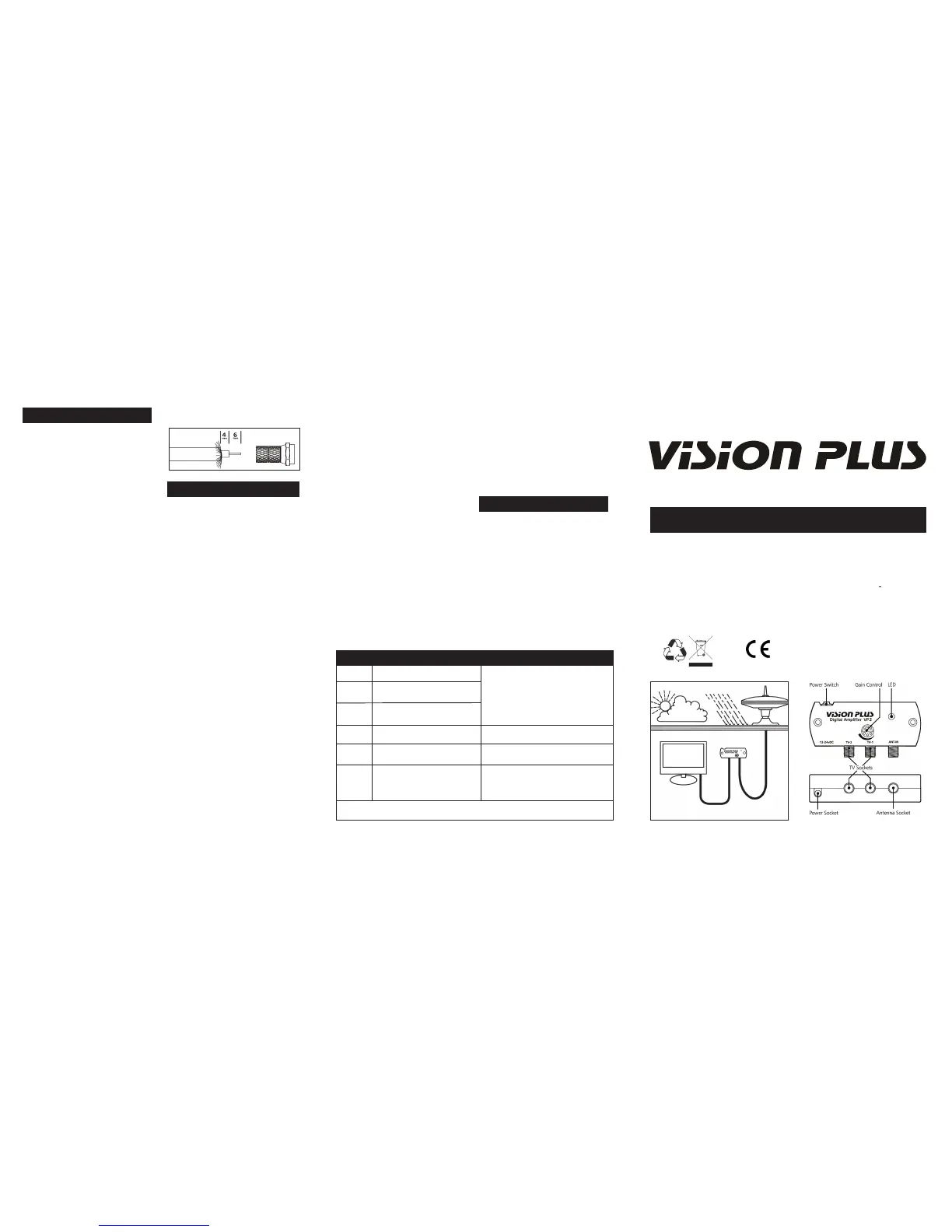
Gain Control
In normal use the button should be rotated clockwise
for maximum gain. In strong signal areas the
amplification can be reduced by rotating the button
anti-clockwise until picture quality improves. The
button rotates through 270 degrees from MAX to MIN.
LED Light
Should the LED on the Power Amplifier not light,
firstly check there is power to the unit. Secondly
check the polarity is correct. Otherwise contact
ourselves for further assistance.
By-Pass Tests
There are two tests that enable you to isolate
parts of your installation. You will require the
Coaxial/F-Connector adapters supplied in the
small labelled bag.
1. Firstly, disconnect the cables from the ‘TV’
sockets of the Amplifier. These are connected
to a TV outlet socket. Attach one of the
adapters supplied to your TV fly-lead and
connect your TV direct to the Amplifier,
plugging into one of the ‘TV’ sockets
Ensuring the Antenna Dome is plugged into
the ‘ANT-IN’ socket, switch on and tune in
your TV for the strongest signal. If the
picture quality improves the fault lies with
the wiring of the system between the
Amplifier and the TV outlet socket.
2. Secondly bypass the Amplifier by removing
the Antenna’s cable from the ‘ANT-IN’ and
using the second Adapter plug the Antenna
directly to your TV. If the picture quality is
improved the fault lies with the Amplifier.
Antenna Dome Coaxial Cable
Check the routing of the coaxial cable from the
Antenna Dome to the Amplifier. Check to ensure
there are no kinks or trapped cable or if there are
loops of surplus cable which could be affecting
performance.
Spares & Repairs
Should you require any parts for replacement or
repairs please log on to www.gradeuk.co.uk or
contact ourselves on 0115 986 7151.
Two Year Guarantee
The Status antenna has a return to base
guarantee against defective parts and workmanship
for the two years from date of purchase. This
does not include any malfunction resulting from
improper use, accidental or malicious damage.
To support your guarantee claim a dated Proof of
Purchase will be required.
This does not affect your statutory rights. Any queries concerning
warranty please contact ourselves.
MAINTENANCE
RoHS
Signal
Symptom
Action
No picture or sound, TV freezing, severe
pixilation, break up and picture drop out
Moderate pixilation and sound distortion
Minor pixilation, will not receive all
channels
Stable picture, good sound quality, will
receive all channels
Moderate pixilation, picture break up and
drop out
No picture or sound, TV freezing, severe
pixilation, break up and picture drop out
Check the amplifier gain is set to Maximum.
Bypass the amplifier by connecting your antenna
directly to your TV to confirm that the amplifier is
operational.
N / A
Reduce the amplifier gain (rotate anti-clockwise).
Bypass the amplifier by connecting your antenna
to your TV.
Very Poor
Poor
Medium
Good
Strong
Very Strong
After performing any of the ‘Actions’ above you must re-tune your TV
When the Antenna Dome was originally fitted
and lowered onto the Mounting Foot, cable may
have been trapped or kinked under the Mounting
Foot. To check remove the Antenna Dome as
described over the page to see if this has occurred.
Customer Help Line
Should you still be experiencing difficulties and
require assistance, please do not hesitate to
contact us at the address below.
IMPORTANT – The copper braiding MUST NOT
TOUCH the central wire.


 To Previous Page
 Loading...