5. Cable connection
- OSD Key
< NOTE : >
For detailed information regarding
OSD menu options, refer to the
guide of the OSD Manual.
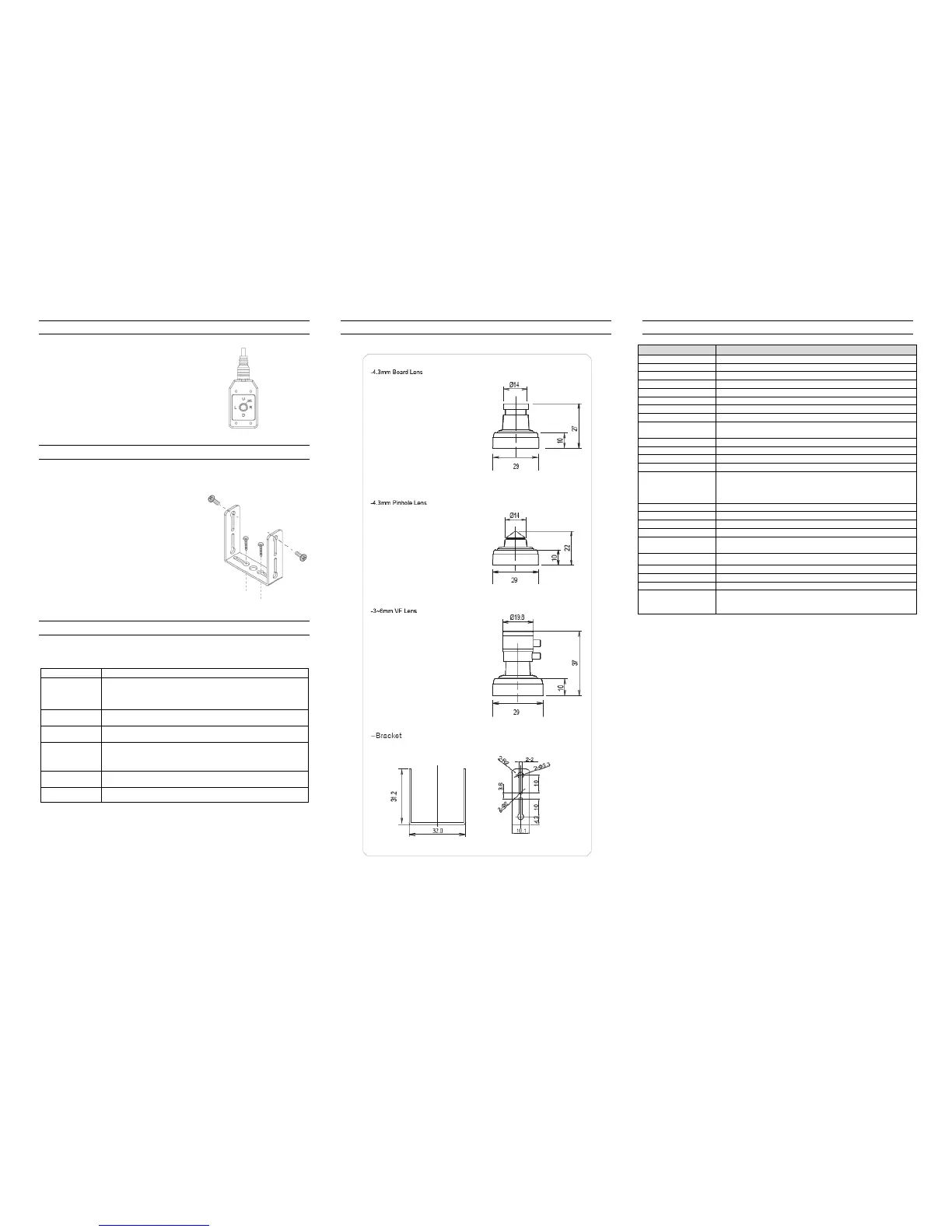
6. Installation
- Adjustment of Bracket
7. Troubleshooting
If there are problems in operating, please refer to the checklist below.
If the problem persists, please contact the agent where this product is purchased.
Nothing appears
on the screen.
Please check that the power cord and line connection between the
camera and the monitor are fixed properly.
Please check that you have properly connected VIDEO cable to
the camera VIDEO output jack.
The image on the
screen is dim.
Is lens stained with dirt? Clean your lens with soft, clean cloth.
Set the monitor to proper condition.
The image on the
screen is dark.
Adjust the contrast feature of the monitor.
If there is an intermediate device, set the 75Ω / Hi-Z properly.
The camera is not
working properly,
and the surface
of the camera is hot.
Please check that you have properly connected the camera to an
appropriate power source.
Please check the setting of White AWB menu.
The screen flickers
continually.
Please check that direction of camera turns toward the Sun.
7. Dimension (mm)
8. Specifications
Full HD Mini Square Camera
Sony 1/2.8 inch 2.1MP Exmor CMOS Sensor
1952(H) x 1116(V) 2.18 Megapixel
1/30s Default, (Long Exposure Mode, ~1Sec)
1920 x 1080 @25p / 30P,
1280 x 720 @50p / 60P (Mode Select)
1V p-p Composite. 75 Ohms
4.3mm Lens
(Option) Board Lens : 2.9mm / 3.7mm / 6mm
Mini Varifocal Lens : 3 ~ 6mm
Pinhole lens : 4.3mm
Video Mode / D&N / AWB / AE / Privacy Mask /
Flicker less / Brightness / Sharpness / Mirror & Flip /
DSS / DNR, etc.
* specifications are subject to change without prior notice for improvement.



 To Previous Page
 Loading...