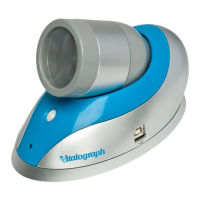
Vitalograph In2itive User Manual
Cat. No. 07514
Issue 5
Page 35 of 45 DT_0006-6
Symptoms:
• Corrupt or missing data
• Check USB cable is connected between
Vitalograph In2itive and the PC.
• Check to ensure the Spirotrac V Application is
correctly installed.
• Check to ensure the required software drivers
are installed on the PC.
• Main PCB failure – contact support.
Problem Fault
Symptoms:
• Cannot read screen.
Possible Causes:
(In probable
order)
• The battery may be low. Plug in the USB cable
or mains power supply and switch on the
device.
• LCD failure – contact support.
• Main PCB failure – contact support.
C
USTOMER
S
ERVICE
Service and repairs should be carried out only by the manufacturer, the
approved importer or by Service Agents specifically approved by
Vitalograph.
For the names and addresses of approved Vitalograph Service Agents
or to arrange spirometry workshops, please refer to the contact
information at the start of this manual.


 To Next Page
 Loading...