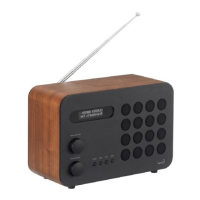
ALARM CLOCK
SETTING AN ALARM
The Eames Radio is able to store two individual alarm settings. Press the MENU button and
turn the CONTROL dial until ALARM is displayed, now select which of the Alarms (Alarm 1 or
Alarm 2) you would like to modify or enable by pressing the CONTROL dial. Now turn the
Alarm Wizard ON and follow the on-screen prompts.
Use the CONTROL dial to set each preference for your alarm, (listed below), pressing the
dial to move onto the next option.
• Time
• Duration of Alarm
• Source: Buzzer, DAB or FM
• Frequency: Daily, Once, Weekends or Weekdays.
• Volume Level: (turn the CONTROL dial to set volume)
•
Alarm ON or Alarm OFF, (pressing select will now save your preferences)
STOPPING AN ALARM
When an alarm is sounding, pressing the VOLUME dial will STOP the alarm.
PLEASE NOTE : To wake you gently, the EAMES Radio will slowly increase the volume of the
alarm from silent to your preset volume level over a 30 second period.
DAB
<Alarm >
Alarm 1 Setup
Alarm Off
Alarm 1
14
EN


 To Next Page
 Loading...