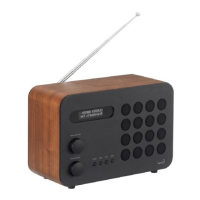
Factory Reset?
Yes <No>
SW Upgrade?
Yes <No>
DAB
<SW version >
SW version
dab-mmi-FS298432
FACTORY RESET
By selecting FACTORY RESET from the menu, you can reset your radio to its default factory
values, erasing any personal settings that may have been confi gured (time/date and presets
will be erased).
To perform a factory reset, press MENU then select FACTORY RESET. Now answer YES.
SOFTWARE UPGRADE
The SOFTWARE UPGRADE option should only be used when you are asked to do so by Revo
Technologies’ technical support department.
If you are required to do this, further instructions will be issue at that time.
SW VERSION
When dealing with a technical support issue, you may be asked for the SOFTWARE
VERSION of your radio. This information can be found under the SW VERSION menu.
Press MENU then select SW VERSION.
MISCELLANEOUS SETTINGS
18
EN


 To Next Page
 Loading...