SELECTING A STATION
To access your radio’s station list, turn the CONTROL dial to scroll through the available
stations alphabetically, then press the dial to select your station choice.
FAVOURITE STATION PRESETS
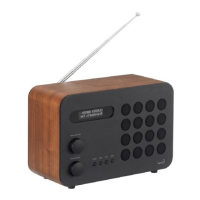
The Eames Radio allows you to store your 10 favourite stations as presets, accessible via the
PRESETS button on the front of the radio.
To save the station you are currently listening to as a preset, simply press and hold the
PRESETS button then use the CONTROL dial to fi nd an unused (empty) location. Now press
the dial to store the station.
To listen to a stored favourite station press the PRESETS button then use the CONTROL dial
to scroll through the options before pressing the dial to select the desired station.
If you want to change a particular preset in the future, repeat the storing process described
above and the previously stored preset will be automatically overwritten.
DAB RADIO MODE
Preset Store
<1: (Empty) >
Preset 1
Stored
Preset Recall
<1: BBC R6M >
Station list
<BBC R6M >
07
EN


 To Next Page
 Loading...