1. COLPO D’OCCHIO / FIRST GLANCE
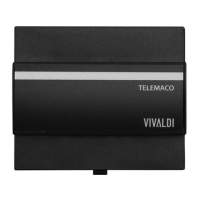
Il dispositivo Telemaco permette di sonorizzare sei zone ed ascoltare la musica che vuoi
in piena libertà, grazie ai quattro players multimediali indipendenti integrati.
Dispone di una webpage di congurazione, un’app dedicata di controllo ed interfaccia-
menti verso altri dispositivi tramite protocolli KNX, MQTT e REST.
Telemaco device allows you to add sound to six zones and listen to the music you want in
complete freedom, thanks to the four integrated independent multimedia players.
It has a conguration webpage, a dedicated control app and interfacing with other devices
via KNX, MQTT and REST protocols
BARRA LED DI STATO
LED status bar
PULSANTE A SFIORAMENTO
touch button
Sulla parte frontale si possono trovare una barra a LED che indica lo stato del dispositivo
e un pulsante a soramento multifunzione.
On the front side there are one LED bar which indicates device status and a multifunction
touch button.
1
2
3
4
5
8
6
7
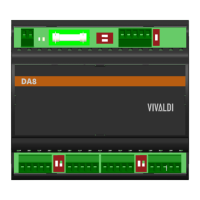
1. Alimentazione 24Vdc
2. Ingressi analogici stereo
3. Connettore RJ45 LAN
4. Uscite amplicate zone 1 - 3
5. Pulsante Programmazione indiriz-
zo individuale KNX
6. Uscite amplicate zone 4 - 6
7. Uscite preamplicate zone 1 -6
8. Connettore bus KNX
1. 24Vdc power input
2. Analog stereo input
3. RJ45 LAN socket
4. Zone 1 - 3 power outputs
5. KNX Individual address program
button
6. Zone 4 - 6 power outputs
7. Zone 1 - 6 preamp outputs
8. Bus KNX connector
2. COLLEGA / CONNECT
• Collega l’alimentazione 24Vdc al morsetto
“POWER”.
• Collega il cavo di rete ethernet al connettore
“LAN”.
• Collega i diusori alle varie uscite “OUT”.
• Collega eventuali apparecchi con uscita analo-
gica agli ingressi “AUX”.
• Collega eventuali subwoofer od amplicatori
esterni alle uscite “PRE”.
• Se hai la domotica KNX/TP, collega il bus rispet-
tando la polarità.
• Connect the 24Vdc power supply to the “POWER”
terminal.
• Connect the ethernet network cable to the “LAN”
connector.
• Connect your speakers to the various “OUT”
sockets.
• Connect any devices with analog output to the
“AUX” inputs.
• Connect any subwoofers or external ampliers to
the “PRE” outputs.
• If you have KNX/TP home automation, connect
the bus respecting the polarity.


 To Next Page
 Need help?
 General