EasyManua.ls Logo

Vivint VS-DBC300-WHT - User Manual

Vivint VS-DBC300-WHT
3 pages
Print Icon
To Next Page IconTo Next Page
Loading...
Installation Instructions
Installing the Vivint Doorbell Camera Pro (DBC) inially requires some dierent steps depending on whether or not there is an exisng doorbell, but once the power source
is set up the procedure is essenally the same. The Vivint technician should carefully read all of these installaon steps (and ps) in order to ensure a successful installaon
and opmal performance. For addional informaon, refer to the Field Servic
e Smart Home Pros website.
The Vivint Doorbell Camera Pro can be added to an integrated Vivint Smart Home system, leng the homeowner know
whenever a visitor comes to their door, whether that person presses the doorbell buon or not, via smart nocaons.
With the doorbell camera, you can see and speak with the visitor (whether you are inside the home or away) via the control
panel and mobile apps. The doorbell camera provides live and recorded
video; microphone and speaker for
audio/communicaon capabilies; and an LED light ring on the doorbell buon that indicates camera funcon and status.
Professionally installed by a Vivint technician, the doorbell camera is added to the panel network either via NFC, Wi-Fi
Connect, or WPS. Once connected to the system, the doorbell camera can be used in conjuncon with other smart home
automaon devices and features, such as remote door lock
s, garage door controllers, and light switches.
Other features include: Night vision with IR LEDs; 180° FOV (eld of view); Pinch-to-zoom video image; Person-triggered
and/or ring nocaons; Speaker for two-way talk via the panel or apps.
This document includes a product descripon, installaon and test instrucons, basic funconality / user operaon
overview, as well as technical specicaons and regulatory noces and declaraons.
Vivint Doorbell Camera Pro
(VS-DBC300-WHT)
Quick Reference (User Manual — Installaon & Operaon)
PRINT INSTRUCTIONS: REFERENCE SHEET FOR VS-DBC300-WHT P/N 77-600028-001 REV 1.2 | INK: BLACK | MATERIAL: 20 LB
MEAD BOND | SIZE: 8.50" X 11.00" SCALE 1:1 | FOLDS: BI-FOLD VERTICAL, BI-FOLD HORIZONTAL (TO FIT IN BOX)
Next, follow these steps to pair and install the camera, and add it to the system:
1. First, pair the doorbell camera to the panel via NFC. At the panel, tap on the menu icon
(…) in the boom right corner > tap Soware version > enter the PIN code 2203 > tap
Smart Home devices > Cameras > and then tap Add camera.
2. Tap NFC > and then tap Add. Align the logo on the front of the DBC with the white light on
the panel, and hold it
unl pairing is complete.
3. Mount the camera. Run the wires through the back plate's rubber grommet, and then strip
and secure each wire to a screw terminal. Polarity does not maer.
4. Aach the back plate to the wall/doorframe with two screws. Secure the rubber gaskets.
5. If applicable, at the chime box, twist and cap the FRT and TRANS wires together.
6. Place the doorbell unit on the back plate, by rst aaching the boom on to the set screw,
and then swinging it up so that it clips securely into the top latch.
7. Verify power is present at the D
BC. The LED light will illuminate. (See LED descripons.)
8. Once the doorbell camera has nished boong (wait a few minutes), it will show online.
IMPORTANT: This process should NOT be interrupted and could take several minutes in
order to load rmware and congure sengs.
9. Verify that you can view live video at the panel screen and with the app.
INSTALLATION TIPS / BEST PRACTICES:
Push any excess wire back into the wall. No exposed wires. No exterior wire runs.
If the camera view is blocked, use a spacer to adjust the angle.
On brick/concrete/stucco/wood/vinyl: Use outdoor-rated screws only. Pre-drill if necessary.
Do NOT use drywall screws (or any screws that won't sit ush on the back plate).
Do NOT mount to metal surfaces.
NOTE: Refer to the Field Service website for detailed guidelines on replaci
ng an exisng
doorbell when the power source voltage is not within the 12-24V range.
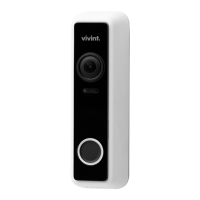
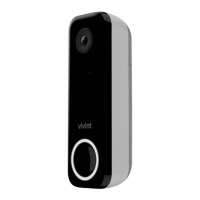
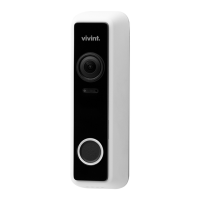
Doorbell Camera Pro (assembled) —
Operation Overview / User Functionality
Once the doorbell camera is up and running, the user can perform the following funcons — similar
to other Vivint connected cameras — at the panel and via the apps. For detailed instrucons, refer
the homeowner to the online Help resources (arcles and video tutorials) at the Vivint Support Site.
View a live video feed
View recorded video clips
Receive person-triggered (event)
nocaons
Engage in two-way talk
Doorbell Unit (inside) —
Back Plate (inside) —
Scenario 1: IF there is an exisng doorbell: a) Locate the chime box and remove the FRT and
TRANS wires from the screw terminals keeping the wires separated, b) Verify the doorbell no
longer has power, and c) Detach the doorbell. (NOTE: If there is a wire on the REAR terminal
for a working doorbell, remove it and cap it o. Also, if there are mulple chime boxes, you
need to locate them and remove their FRT and TRANS wires.)
Scenario 2: IF there is no exisng doorbell: a) Consulng with the homeowner, idenfy the best
locaon to install the doorbell camera and also locate the nearest interior unswitched power
outlet, b) Carefully drill a hole for wiring at the mounng locaon, and c) Run 18/2 wire from
the DBC to the power source. (NOTE: If running wire on the wall or oorboard, do not use
staples and always encase in wire molding. See Installaon Tips below.)
Cameras sengs page, the user can:
Adjust person detecon and video sengs (app only)
Reboot the camera
Delete the camera
Question and Answer IconNeed help?

Do you have a question about the Vivint VS-DBC300-WHT and is the answer not in the manual?

Overview

This document describes the Vivint Doorbell Camera Pro, a smart home device designed to enhance security and convenience at your doorstep.

Function Description

The Vivint Doorbell Camera Pro is an advanced smart home device that allows homeowners to see, hear, and speak with visitors at their door from anywhere using the Vivint Smart Home app. It integrates seamlessly into the Vivint Smart Home system, providing a comprehensive security solution. The camera features a 180° field of view (horizontal and vertical), enabling a wide perspective of the porch area. It includes an LED light ring that indicates various device statuses and functions, such as booting up, connecting to Wi-Fi, recording, and updating firmware. The device is equipped with a microphone and speaker for two-way audio communication, allowing users to converse with visitors remotely. It also features infrared (IR) LEDs for night vision, ensuring clear visibility even in low-light conditions. The camera's motion detection capabilities alert users to activity at their door, and recorded video clips can be accessed through the Vivint Smart Home app. The device is designed to replace an existing doorbell, utilizing the existing doorbell wiring for power.

Important Technical Specifications

  • Dimensions (approximate): 3.8 oz. (approximate, includes camera and back plate)
  • Power: 12-24 VAC, 10 VA or 12-24 VDC, 0.5A min.
  • Operating Temperature: -4°F to 122°F (-20°C to 50°C)
  • Backup Battery: Not specified, but the device uses existing doorbell wiring for power.
  • Wireless: Wi-Fi 802.11 b/g/n/ac, 2x2 MU-MIMO; Bluetooth/BT Low Energy (BLE) 5.0, NFC tag at 13.56 MHz.
  • Camera Lens: 2.0 MP (1080p).
  • Video Resolution: 1080p.
  • FOV (field of view): 180° diagonal (vertical and horizontal).
  • Night Vision: IR LEDs (180° field of view).
  • Audio: Built-in speaker and microphone.
  • Environmental Temperature: -4°F to 122°F (-20°C to 50°C).
  • Humidity/Weather: Yes (IPX5, with UV protection).

Usage Features

The Vivint Doorbell Camera Pro offers several usage features that enhance its functionality and user experience:

  • Two-Way Talk: Users can engage in real-time two-way audio conversations with visitors at their door through the Vivint Smart Home app.
  • Live View: Access a live video feed from the doorbell camera at any time via the app.
  • Recorded Video Clips: The camera records video clips of events, such as motion detection or doorbell presses, which can be reviewed later in the app.
  • Motion Detection: The device detects motion in its field of view and sends notifications to the user's smartphone, allowing them to monitor activity at their doorstep.
  • Night Vision: Infrared (IR) LEDs provide clear video footage even in low-light or nighttime conditions.
  • LED Light Ring Indicators: The LED light ring on the doorbell camera provides visual cues about its status, such as booting up (yellow breathing), connecting to Wi-Fi (blue breathing), recording (green blinking), and firmware updates (blue solid).
  • Integration with Vivint Smart Home System: The doorbell camera seamlessly integrates with other Vivint smart home devices and services, providing a unified security and automation experience.
  • Customizable Settings: Users can adjust various settings through the Vivint Smart Home app, including notification preferences, video recording options, and privacy zones.
  • NFC Tag: The device includes an NFC tag at 13.56 MHz, which may be used for simplified pairing or other functions.
  • Doorbell Button: A physical button on the device allows visitors to ring the doorbell, triggering notifications on the user's smartphone and other Vivint devices.

Maintenance Features

Maintaining the Vivint Doorbell Camera Pro involves several steps to ensure optimal performance and longevity:

  • Installation: The device is designed to replace an existing doorbell and utilizes the existing doorbell wiring for power. Proper installation involves connecting the doorbell camera to the existing chime box and ensuring a stable power supply. If an existing chime box is not present, a Vivint Smart Home professional can install a power supply.
  • Troubleshooting: The manual provides a comprehensive troubleshooting guide for common issues, such as the doorbell camera being offline, not receiving power, or experiencing Wi-way talk problems. This includes checking wiring, power supply, Wi-Fi connectivity, and verifying the device's status through the LED light ring.
  • Firmware Updates: The device supports firmware updates, indicated by a blue solid LED light ring. These updates ensure the camera has the latest features, security patches, and performance improvements.
  • Cleaning: While not explicitly detailed, regular cleaning of the camera lens and surrounding areas can help maintain clear video quality.
  • Professional Support: For complex issues or if troubleshooting steps do not resolve the problem, users are advised to contact Vivint Customer Support or a qualified professional for assistance.
  • FCC and ISED Canada Regulatory Compliance: The device complies with FCC Part 15 and ISED Canada RSS standards, ensuring it meets regulatory requirements for electromagnetic compatibility. Users are advised to avoid unauthorized modifications to the device, as this could void compliance and the user's authority to operate the equipment.
  • Environmental Considerations: The device is designed to operate within a specified temperature range (-4°F to 122°F) and is rated IPX5 for weather resistance, making it suitable for outdoor use. However, extreme environmental conditions may impact performance.

Vivint VS-DBC300-WHT Specifications

General IconGeneral
BrandVivint
ModelVS-DBC300-WHT
CategoryAccessories
LanguageEnglish

Related product manuals