3) Powering ON the Digital Camcorder
Press the POWER button to turn on the digital camcorder.
Setting the Digital Camcorder Language
You will first be prompted to select a language for the digital camcorder.
The Language selection menu appears.
1) Press the UP or DOWN button to select the language of your choice.
2) Press the OK/SET button to confirm the selection.
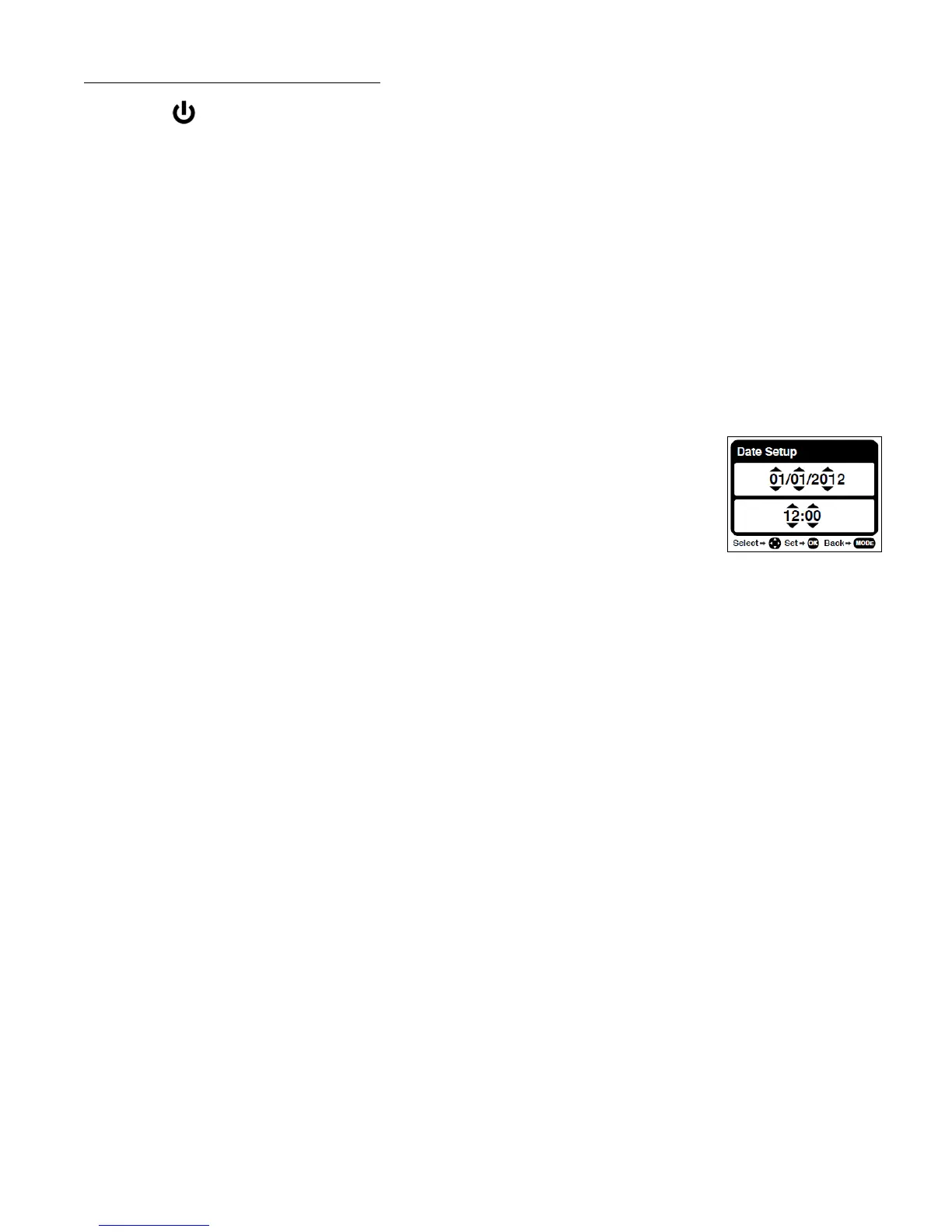
Setting the Date and Time
The next step in the initial camcorder setup is to set the date and time.
1) Press the LEFT or RIGHT button to move between the date and time
settings.
Press the UP or DOWN button to set the specific date and time.
2) Press the OK/SET button to confirm the date and time setting and to
continue with the camcorder setup.
Setting the ViviLink Default Option
Once the Date and Time have been set, you will be asked to set the default ViviLink destination for
photos and videos taken with your digital camcorder.
The ViviLink technology allows you to quickly and easily upload your camcorder’s photos and videos
to the social networks of your choice with the accompanying Vivitar Experience Image Manager
application.
1) First you will be asked to choose the default ViviLink social network for Videos. Use the UP and
DOWN buttons to highlight the desired default social network and press the OK/SET button to
confirm the selection.
2) Next you will be asked to choose the default ViviLink social network for Photos. Use the UP and
DOWN buttons to highlight the desired default social network and press the OK/SET button to
confirm the selection.
Congratulations - your digital camcorder is now ready to use!



 To Next Page