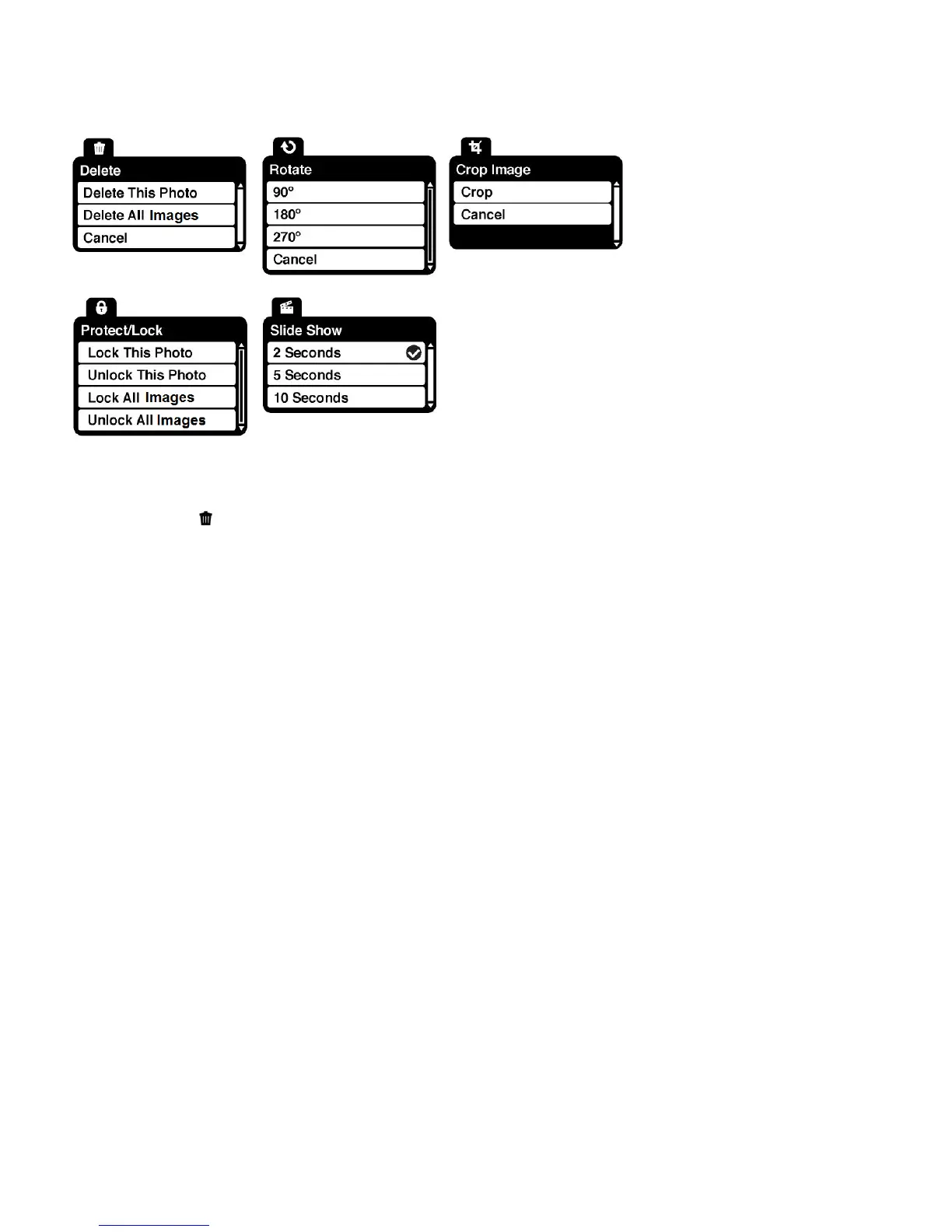
Photo Playback Mode Menus
The following are the menus that appear in your camera‟s Photo Playback Mode:
Delete Menu
While in the Playback mode, you can delete photos from your camera using the Delete menu.
1. View the image you would like to delete.
2. Press the SET button to open the menus for the current mode.
3. Press the UP or DOWN direction control buttons to scroll through the Delete menu
options.
4. To delete the selected photo (one image), select “Delete This Photo” and press the SET
button.
You will be asked to confirm:
To delete the video and exit the menu, select „Yes‟ and press the SET button.
To exit the menu without deleting the video, select „No‟ and press the SET button.
5. To delete all the images (including all unlocked photos and videos) on your camera‟s
memory card, select “Delete All Images” and press the SET button.
You will be asked to confirm:
To delete all unlocked videos and photos, select „Yes‟ and press the SET button.
All of your images are permanently deleted.
A blank „No File‟ screen appears.
Press the MODE button to exit the „No File‟ screen and return to Photo Capture
mode.



 To Next Page