VIDEO CAPTURE MODE MENUS
To open the Video Capture menu options, press the OK/MENU button while in Video Capture
Mode. The following menus appear:
MOVIE SIZE
The ‘Movie Size’ menu allows you to choose the desired size of the videos taken by your
camcorder. Keep in mind that videos with a higher resolution will also take up more space on your
camcorder’s memory card.
The ‘Movie Size’ menu options include:
HD 1280 x 720
640 640 x 480 (default)
FRAME RATE
The ‘Frame Rate’ allows you to select the speed of recording/playback.
The ‘Frame Rate’ menu options include:
30 High (Default)
15 Low
METERING
The ‘Metering’ setting will affect how your camera focuses when capturing an image. Depending
on your selection, the camera will be more sensitive to focusing on particular areas in the display
and adjust the image color and lighting accordingly. The ‘Metering’ menu options include:
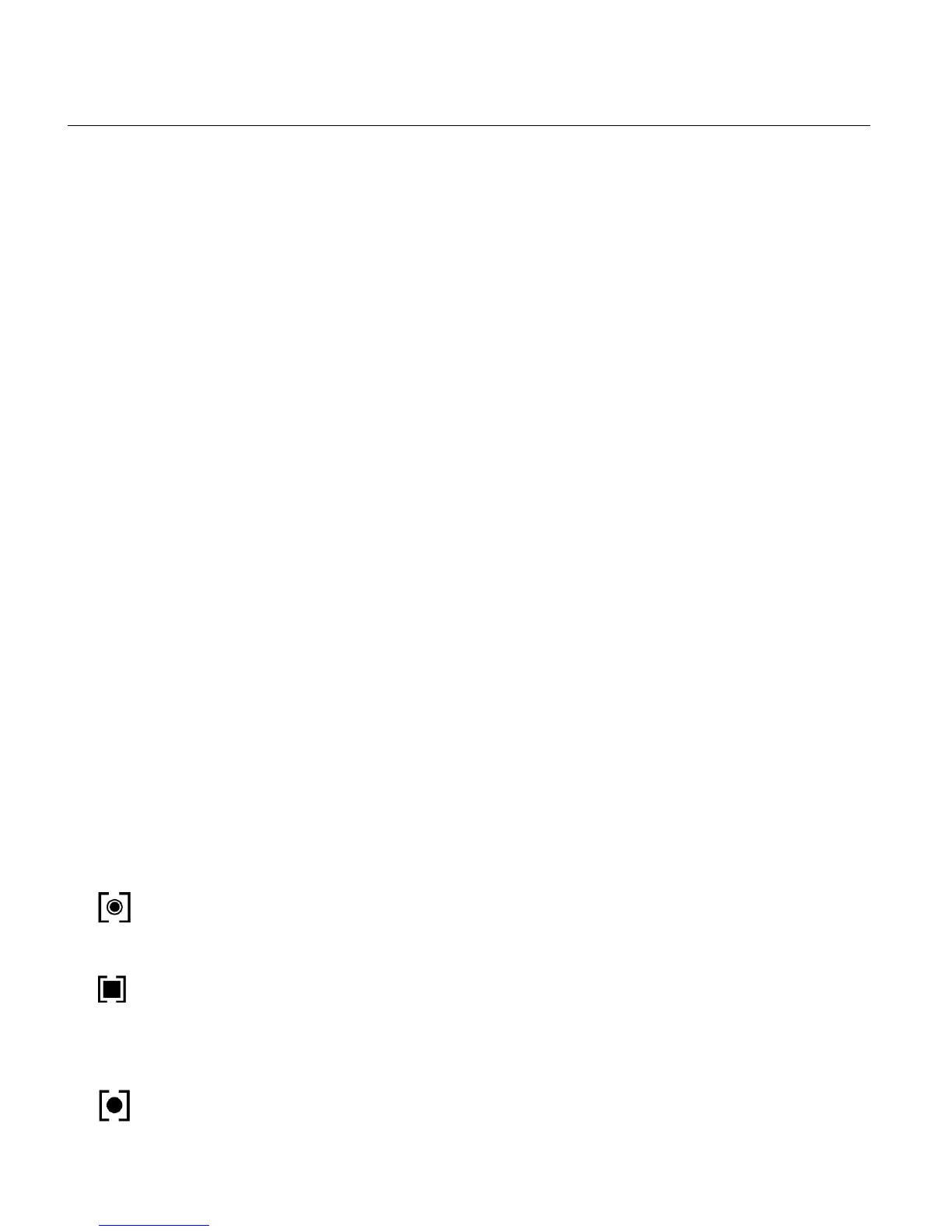
Center – Averages the light metered from the entire frame, but giving greater weight to
the subject in the center.
Multi – Used in standard conditions the camera divides and adjusts the settings of the
image into several zones for light metering such as complex light conditions, position of
subject, brightness, background, direct light and scenes. (Default)
Spot – Meters the area within the spot point frame at the center of the LCD to set the
exposure on the subject in the center of the monitor.



 To Next Page