
 Need help?
Do you have a question about the Vivitar VXXBR10 and is the answer not in the manual?
Critical warnings to prevent fire, electric shock, and harm from battery ingestion.
Essential precautions for safe handling of the lithium-ion battery pack.
Identifies primary buttons and dials on the camera body.
Details external connection ports like USB and microphone input.
Describes components such as flash, speaker, zoom control, and power button.
Details the tripod mount and battery/SD card compartment.
Explains the specific functions of each operational button on the camera.
Describes the meaning of indicator lights and the T/W zoom function.
Step-by-step instructions for battery installation and removal.
Guide on connecting the camera to a power source for charging.
Instructions for operating the camera's power button.
Explains indicators for memory card space and photo timer settings.
Details the EV value and focus setting displays on the screen.
How to adjust resolution, quality, ISO, and other photo parameters.
Options for setting video resolution, frame rate, and sensitivity.
Navigation to general system settings like Wi-Fi and language.
Settings for resolution, quality, auto white balance, and ISO adjustments.
Explains metering, AF lamp, AE/AF lock, and anti-shake functions.
Settings for date stamps, quick review, color effects, and scene modes.
Available choices for video resolution and frame rates.
Configuration for adding date stamps and using time-lapse video.
How to adjust the sensitivity for video recordings.
Setting up Wi-Fi and configuring the auto power off timer.
Options for language, power frequency, and sound volume settings.
Setting the date, formatting memory cards, and checking firmware version.
Correct procedure for inserting an SD card into the camera.
Essential steps and warnings for formatting a new or used memory card.
Step-by-step guide on how to capture still images.
Explanation of various photography modes like M, AV, TV, P, SCN.
How to start and stop video recording using the record button.
Accessing and leaving the media playback mode.
Creating slideshows and locking photos to prevent deletion.
Options for deleting individual photos or all stored files.
How to connect the camera to a high-definition television using an HDMI cable.
Important considerations for connecting to an HDTV, including cable type and signal source.
Steps for connecting the camera to a PC using the USB-C cable.
Explanation of Charging Mode and Mass Storage Mode options.
Instructions to download the companion mobile application.
Guidance on utilizing the in-app help for optimal usage.
Solutions for common problems like camera not powering on or battery not charging.
Troubleshooting steps for camera crashes and memory card recognition failures.
Additional notes on image stability, color, and component temperature.
Statement detailing compliance with FCC rules for digital devices.
Details of what the product warranty covers and what it does not.
Instructions on how to request warranty service and required documentation.
Explains limitations, disclaimers, and consumer rights under the warranty.
Information on accessing manuals, FAQs, and software online.
Provides email and phone contact details for technical assistance.
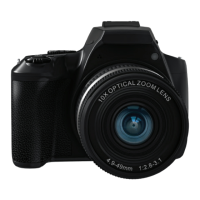
The Vivitar VXXBR10 is a digital camera designed for capturing both still photographs and video recordings, offering a range of features for various shooting scenarios. It is equipped with a 10x optical zoom lens, allowing users to capture subjects from a distance with clarity. The camera's design includes a clear preview screen for framing shots and reviewing captured media, along with a mode dial for quick selection of different shooting modes.
The primary function of the Vivitar VXXBR10 is to capture high-quality images and videos. It supports various resolutions for both photos and videos, allowing users to choose settings that best suit their needs, from high-resolution stills to 4K video recording. The camera features an external lithium-ion battery (NP-40) for power, which is rechargeable and designed for extended use.
For photography, the camera offers several modes accessible via the mode dial:
The camera also supports video recording, initiated and stopped using a dedicated Record Button. Users can select different video resolutions, including 4K, 2K, 1080P (at 60fps or 30fps), and 720P.
The Vivitar VXXBR10 is designed for user-friendly operation with a variety of buttons and indicators:
The preview screen provides real-time information, including the remaining space on the SD card, current timer settings, exposure value (EV), focus settings (Macro Auto/Manual, AF Auto Focus/Manual Focus), and flash settings (Auto, Red-eye Reduction, Forced Flash, Slow Sync, No Forced Flash). It also displays the SD card status (Inserted, Not Inserted, Write Protection).
The camera supports connectivity to a computer via a USB-C cable, offering two modes:
For remote control and enhanced functionality, the Vivitar VXXBR10 can connect to a smartphone app called "VD Cam" (Video Dimension Camera), available on both Android (Google Play) and iOS (App Store). This app likely provides additional control and viewing options for the camera.
Playback on an HDTV is also supported via an HD cable (not included) connected to the camera's HDMI interface. When connected, the camera's display content automatically switches to the HDTV, and the camera screen blacks out.
Proper maintenance ensures the longevity and optimal performance of the Vivitar VXXBR10:
The Vivitar VXXBR10 is a versatile camera suitable for users looking for a device capable of capturing detailed photos and videos with various control options and convenient connectivity features.
 General
| Optical Zoom | 3x |
|---|---|
| Digital Zoom | 4x |
| Video Resolution | 640 x 480 |
| Image Sensor Type | CCD |
| Storage Media | SD/SDHC |






 To Next Page