VIVOTEK
User's Manual - 143
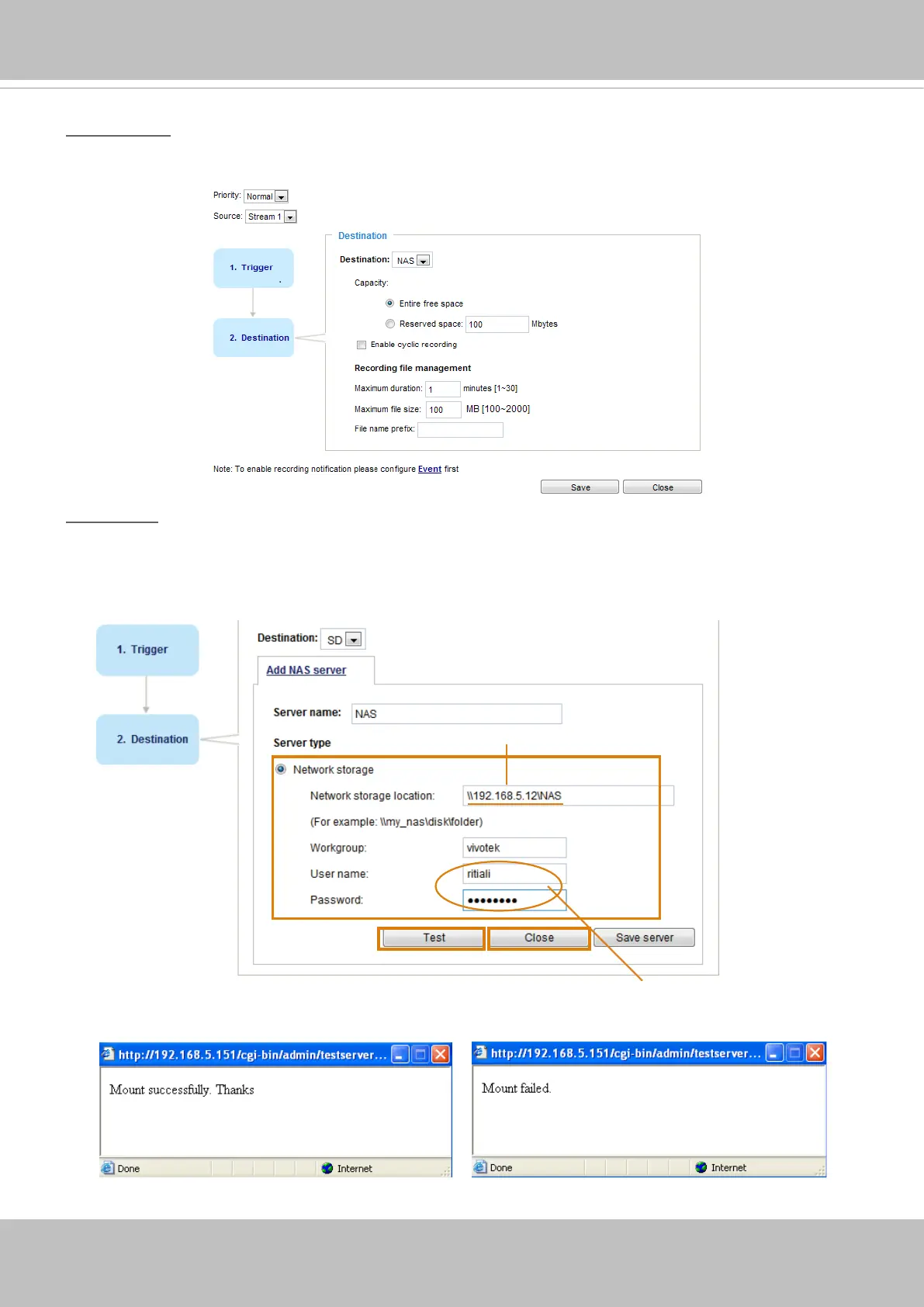
2. Destination
You can select the SD card or network storage (NAS) for the recorded video files. If you have not
congured a NAS server, see details in the following.
NAS server
Click Add NAS server to open the server setting window and follow the steps below to set up:
1. Fill in the information for your server.
For example:
2. Click Test to check the setting. The result will be shown in the pop-up window.
1
2
3
4
Network storage path
(\\server name or IP address\folder name)
User name and password for your server









 To Next Page