3
55
CHANGING THE DISPLAY SYSTEM SETTINGS
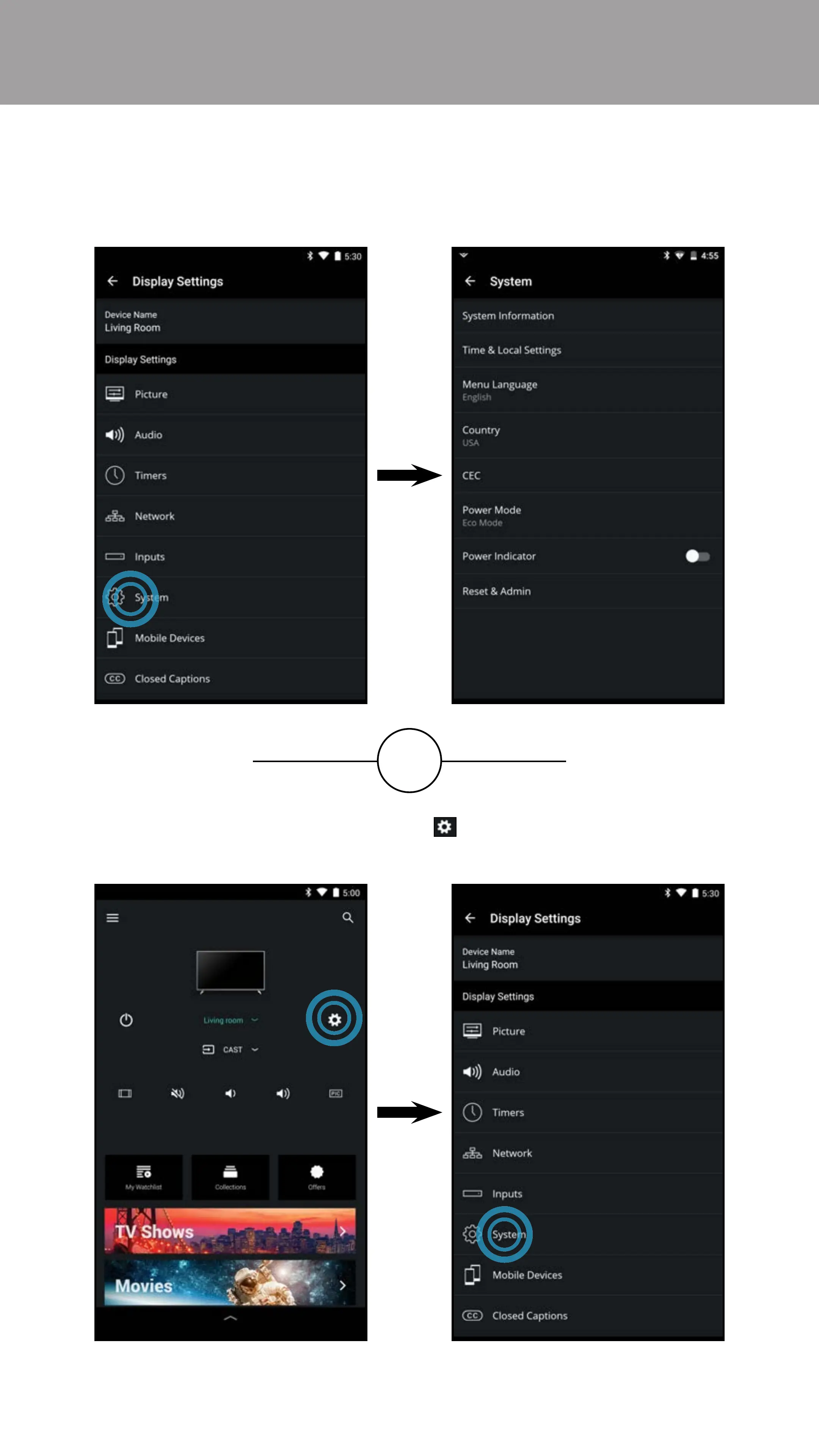
To access the System Settings menu:
• From the Display Settings menu, tap on System. The System menu
is displayed.
OR
• From the Device Menu, tap on the button. The Display Settings
menu is displayed. Then tap on System to access the System menu.



 To Next Page