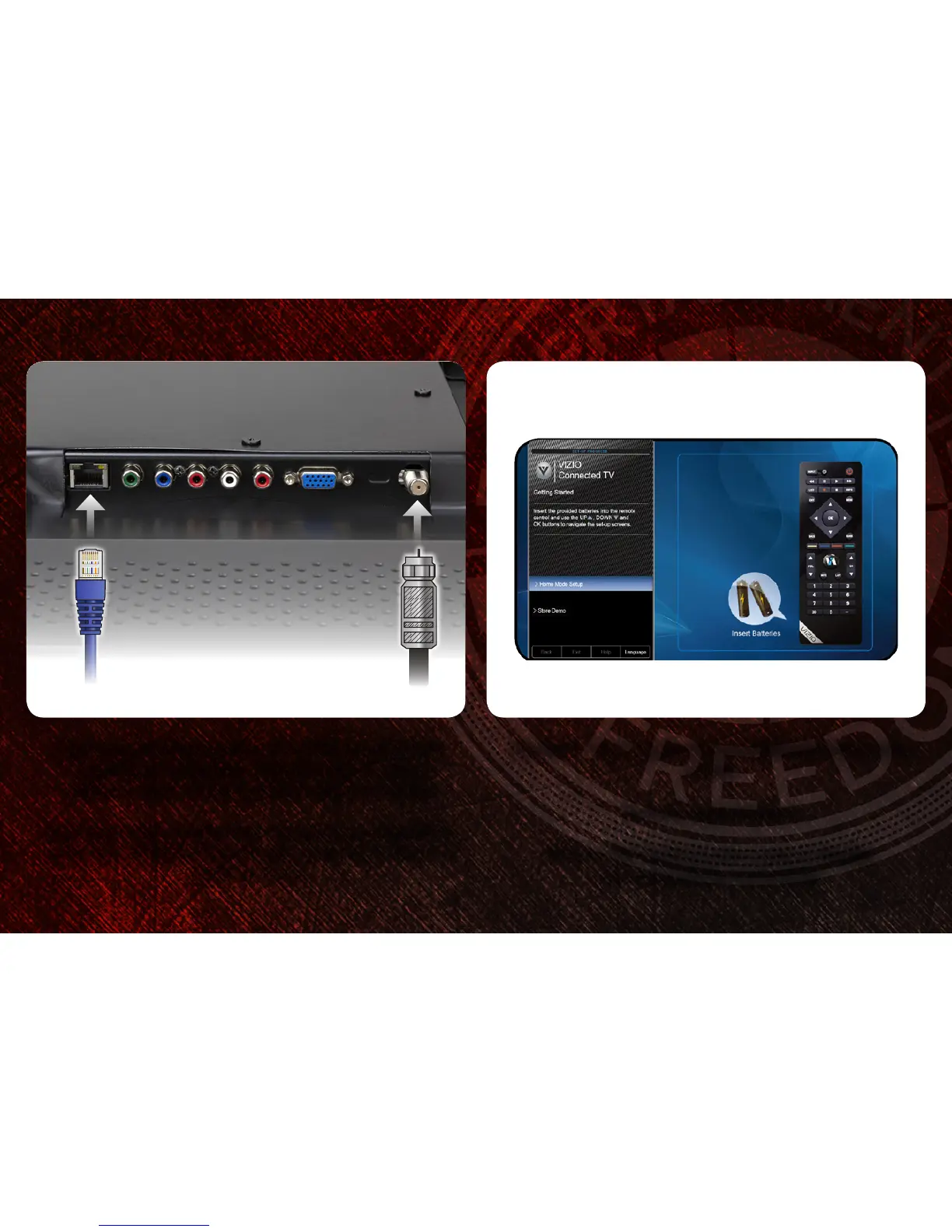
If you have an external antenna or a cable connection that
extends from a wall outlet, connect it to the TV with an
RF/Coaxial cable. Use the included RF Adapter if needed.
If you have a high-speed internet connection and would like to
connect the TV with an ethernet cable, connect it to the back of
the TV as shown.
4
Turn the TV on by pressing the Power/Standby button on the
remote.
The Setup App is displayed.
Use the Arrow buttons on the remote to highlight
Home Mode Setup and press OK.
3
To Router/Modem To Cable/Antenna



 To Next Page