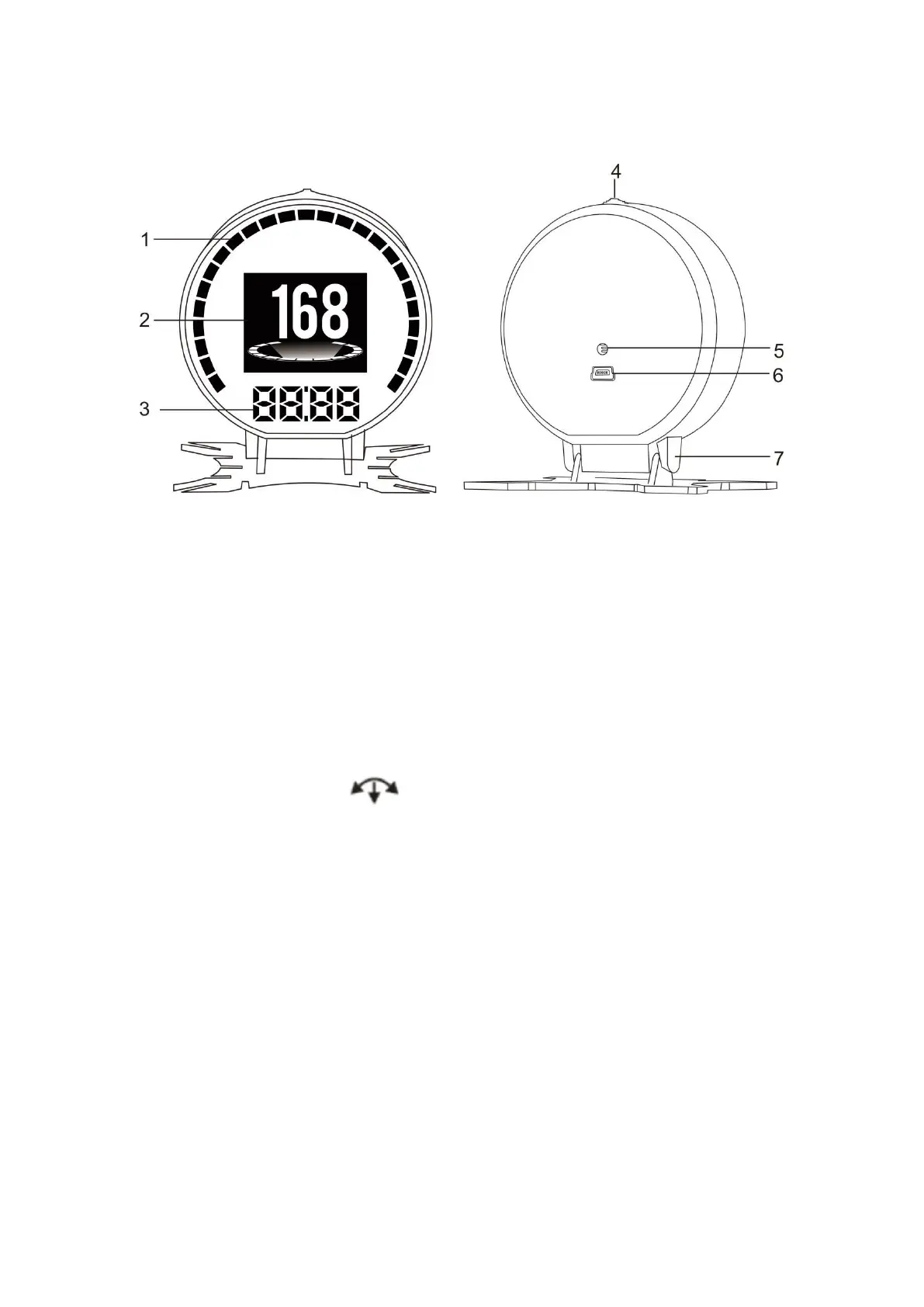
Functions & Keys
1.Progress bar: Default LHK fuel consumption icon,can be changed to RPM
icon
2.Multi functions screen:can choose the different display mode
3.Digital Display Area:default is clock,when it is at single display mode,pull the
button left to switch to RPM function.
4.Setting button,push left/right,short /long press in
5.Light sensor
6.OBD port
Setting button functions:
1.Short press in:(1) switch the display mode (2) confirm the menu after enter
into the menu
2 Push left:(1) When the screen only displays the speed,push left to switch to
digital display area clock and RPM functions
(2) when the screen is multi display status:
① to switch the left area functions ② change the function setting after enter
into the menu or decrease the default value
3 Push right:(1) When the screen only displays the speed,push right is to
switch the display mode(simple mode/clock mode/standard mode) (2)change
the function setting after enter into the menu or increase the default value
4 Long press in:(1) to enter into menu setting mode (2) to save the datas after
changing the default value.


 To Next Page
 Loading...