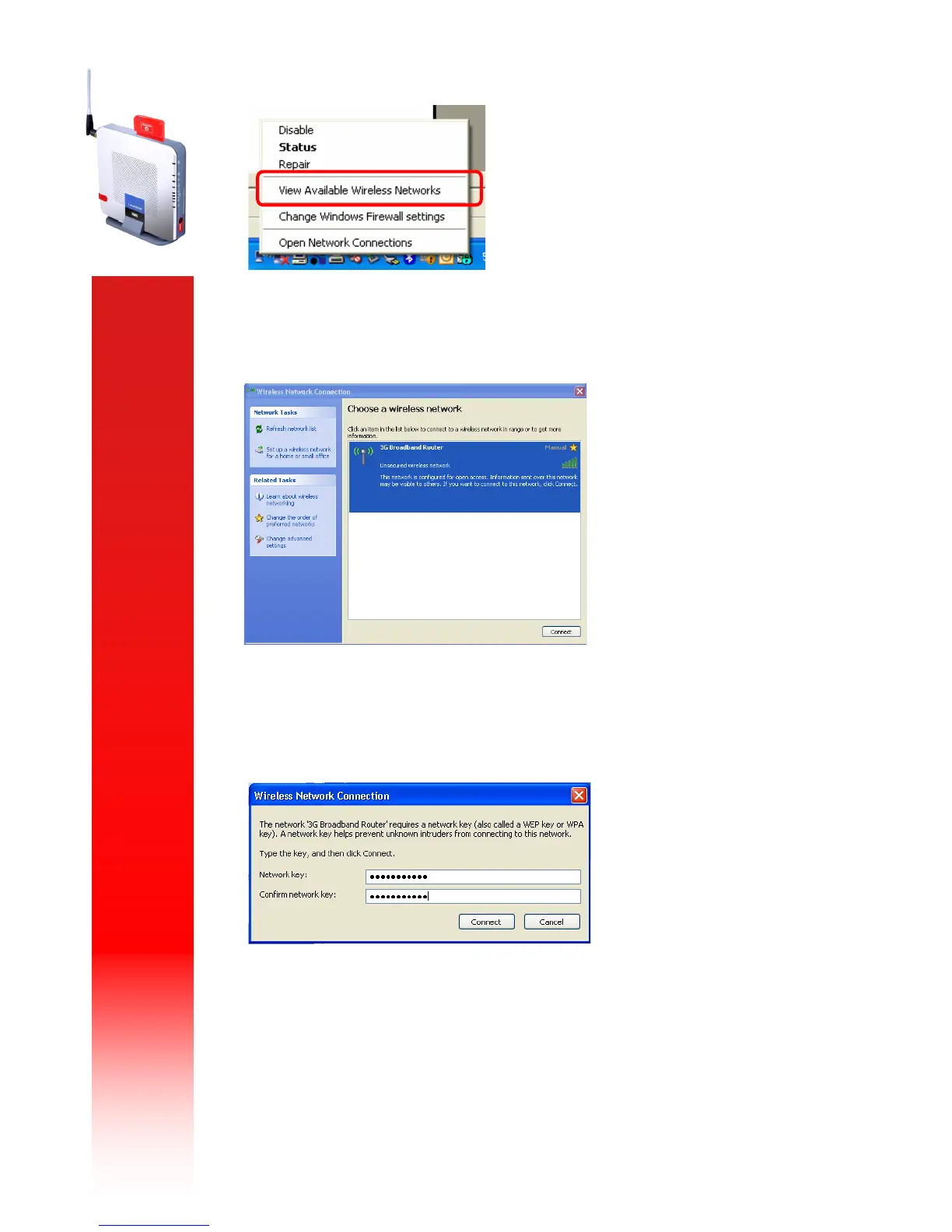
You will now have a list of available networks displayed. Select the name that corresponds to your
router by double-clicking on it.
You will now be prompted for the WEP key you setup previously, you will need to enter the key
twice and select “C o nne ct”.
Your connection will now be setup and you will be able to access the router’s web interface and
connect to the internet.
Your computer will remember this connection along with the key so each time the router is
powered up and you are within range you will be able to connect easily.



 To Next Page