Configuring APN’s
In some cases you may need to manually configure which APN your router uses to connect to
the internet or your work network.
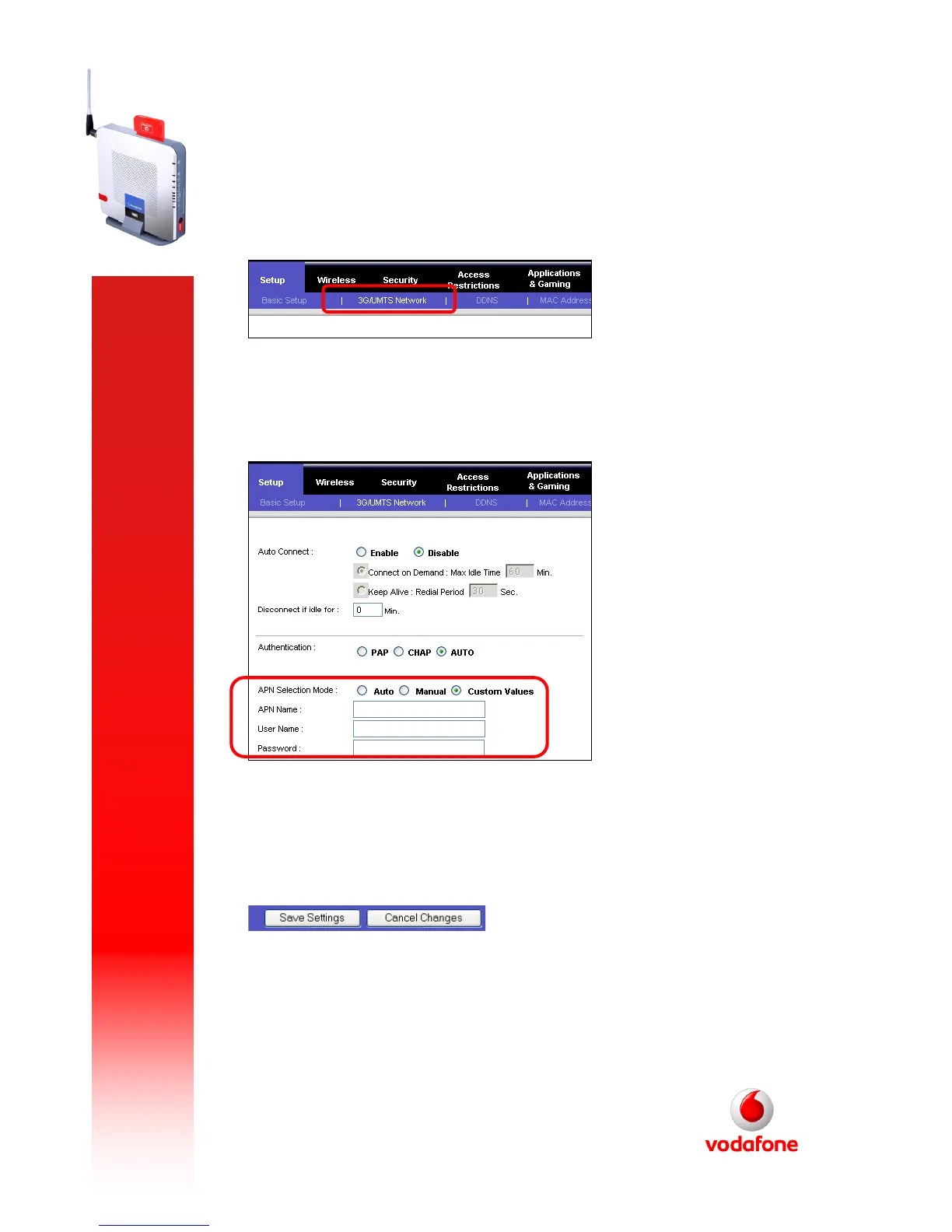
To change the APN, you will first need to log into the routers web interface. Select the “3G/UM TS
Ne twork” tab:
Under “APN S elec tio n Mode ” select “Custo m V alues”. You will now see three new fields
appear (“APN Name”, “User Name” & “Password”
You will now need to enter the APN you wish to use in the “APN Name” box. You will not
need to enter a username and password. Select “Save Settings” by scrolling down to the end of
the screen:



 To Previous Page