4
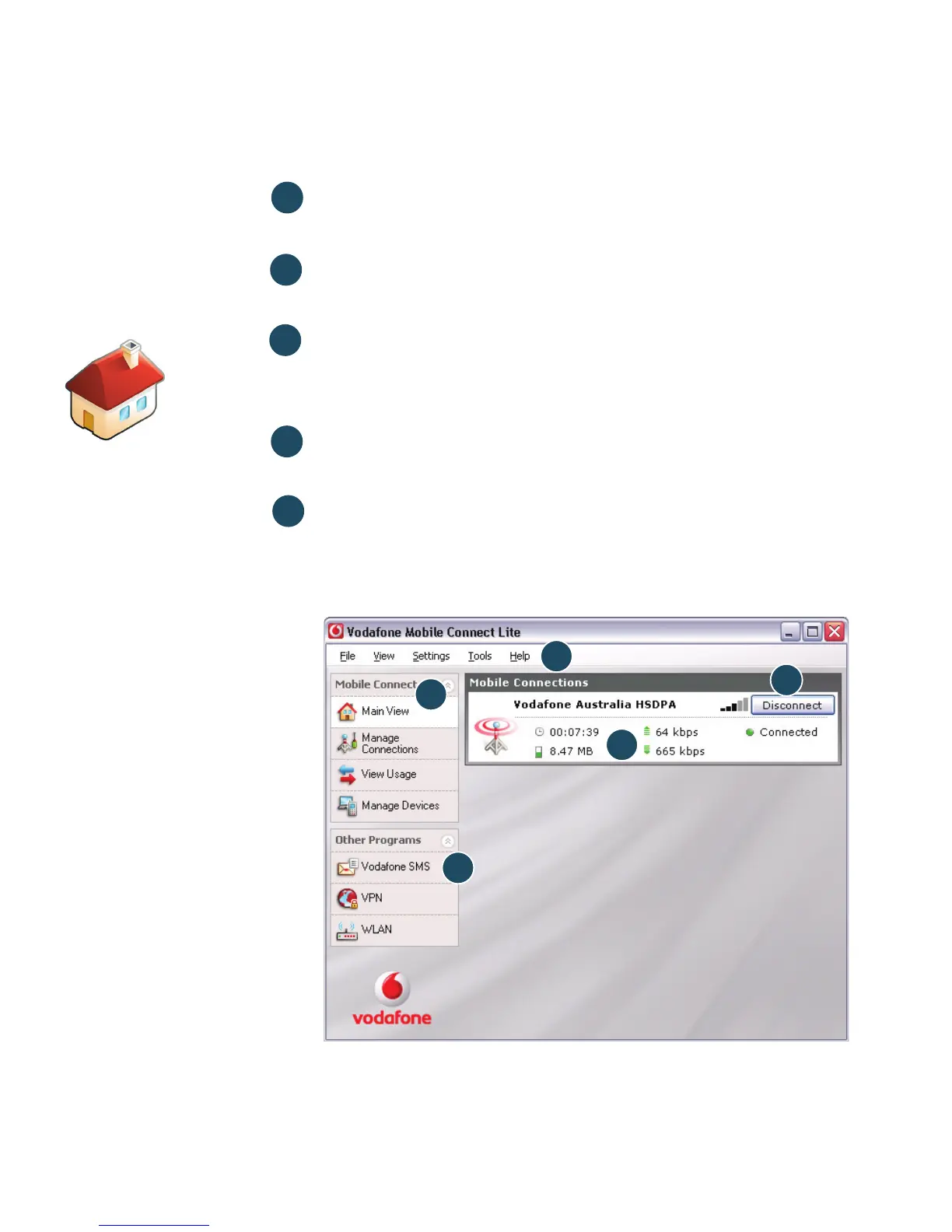
Connect/Disconnect
Connect via the mobile phone network
Views
View data usage, and additional software settings
Start SMS program
Send, receive and manage SMS messages and
contacts
Status
Check the status of your connection
Help
Help Topics, plus internet and hotline support.
5
1
4
2
3
4
3
5
1
2
The first time you run
the software, your
USB Stick will usually
be set as the default
device. If it is not, click
‘Manage Devices’ and
select your USB Stick
there.
Software
overview
(Microsoft
Windows)



 To Next Page