6
Click Vodafone SMS on the navigation bar in the main window
of the Vodafone Mobile Connect Lite software to open the
SMS program.
To send an SMS
Click New at the left-hand end of the SMS toolbar to create a
new SMS text message.
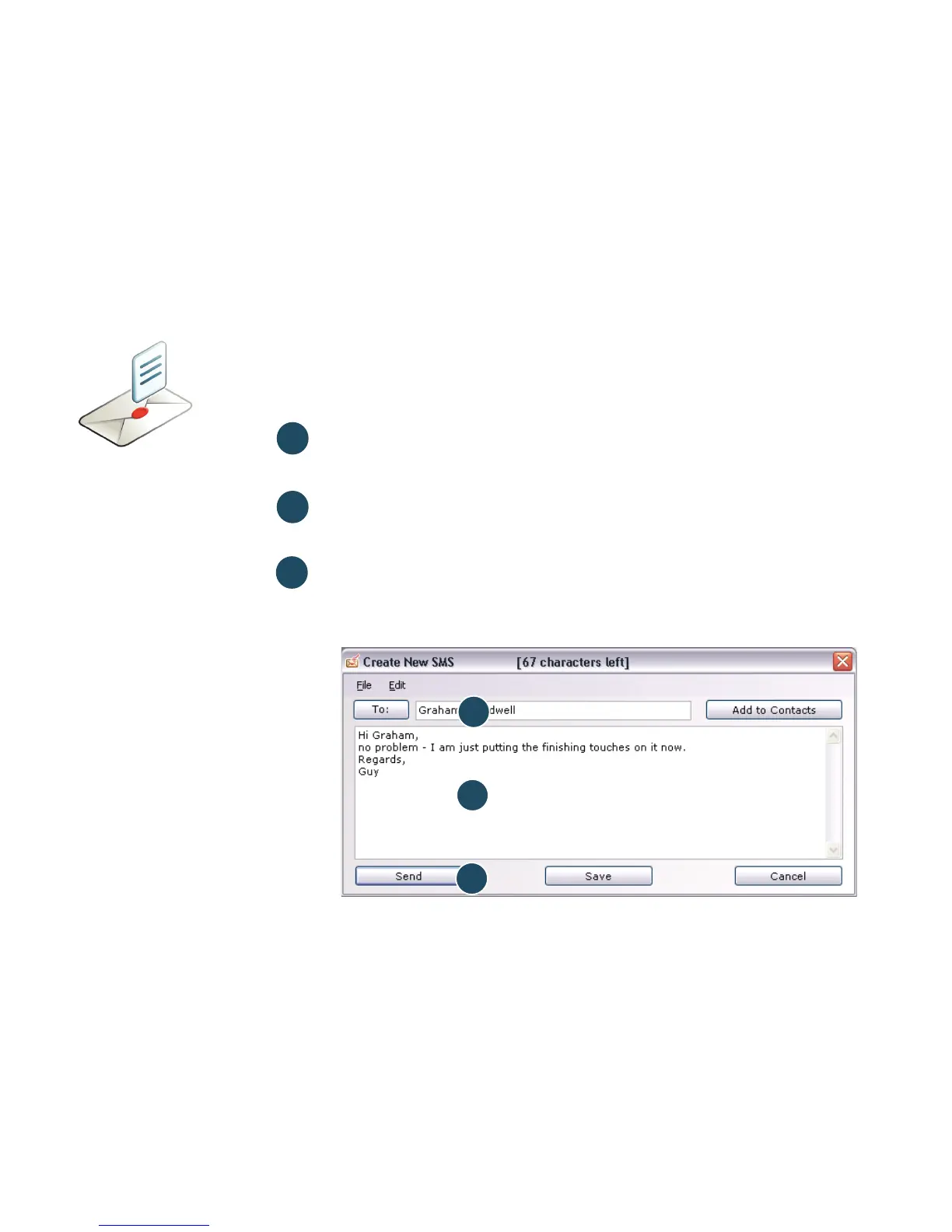
Address
Enter the recipients here, or choose them from Contacts
Message
Write your message here
Send
Click on the Send button to send your message.
After your SMS has been sent, it will be stored in the
Sent list.
2
1
3
The number displayed to
the person who receives
your message will be from
your data SIM, not your
mobile phone. Use a short
‘signature’ to make sure
people know you sent
them a message: Settings/
Messages/Signature.
2
3
SMS text
messaging
(Microsoft
Windows)
1



 To Next Page