Advanced Configuration Guide
Vodafone Mobile Wi-Fi – R215
Vodafone R215 August 2013
Version 0.1
9
1.2 Device Set-up & Initial Connection
1.2.1 Device Set-up
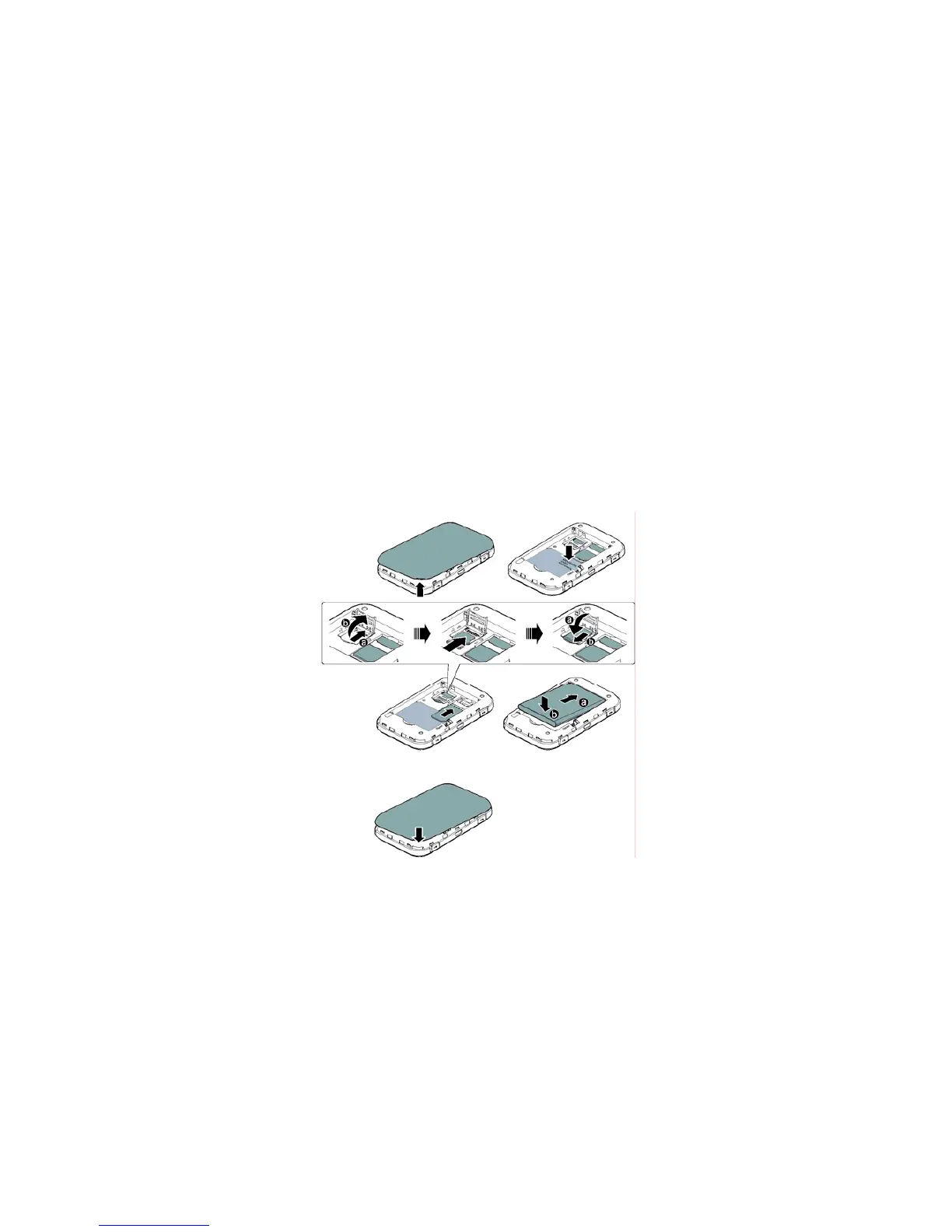
1. To prepare the Vodafone Mobile Wi-Fi device, you need to insert your SIM (and microSDHC card if you
are using one for file sharing). On first use, plug the Vodafone Mobile Wi-Fi into the mains supply, turn the
mains power and allow the battery to fully charge (approximately 3 hours on mains power) before
using it in battery mode. A battery charging icon will be displayed in the Status Screen on the front of
the device.
2. Insert the SIM as shown. If using a microSD card then insert as shown. You will find your Wi-Fi security
details on a label under the battery. These are a secure Wi-Fi network key and a Wi-Fi network name (SSID,
and are unique to your device. These details will be needed to connect your Wi-Fi enabled devices to the
Mobile Wi-Fi device. The details are also on the Reminder Card that came in the packaging box with the
device. They can also be retrieved once the device is powered on by pressing the Menu key and selecting
‘Info’. The SSID and the network key are then shown on the device display for 20 seconds.
3. Switch on the device by pressing the Power button for 3 seconds. The display on the front of the
Mobile Wi-Fi device will be illuminated, the device displays the Vodafone logo and will then go through its
start-up sequence, connecting to the mobile network and starting Wi-Fi.
4. Use the normal Wi-Fi application on your computer or device to connect. Select the Mobile Wi-Fi
network from the list of available Wi-Fi networks, click Connect and enter the WPA2 password (secure Wi-
Fi network key). You should now have internet access via Vodafone Mobile Wi-Fi.
Note network
name and key
SIM
card
microSD
card
Battery
Remove
cover
Replace
cover


 To Next Page
 Loading...