62 63
7 Google Play Store
(1)
Google Play Store is an online software store, where you can
download and install applications and games to your Android
Powered Tablet.
To open Google Play Store:
• Touch Google Play Store from extended screen.
• For the first time you access Google Play Store, a screen with
terms of service pops up for your attention, touch Accept to
continue.
Touch the Menu key, then select Help to enter Google Play Store
help page for more information on this function.
7.1 Locate the item you want to download
and install
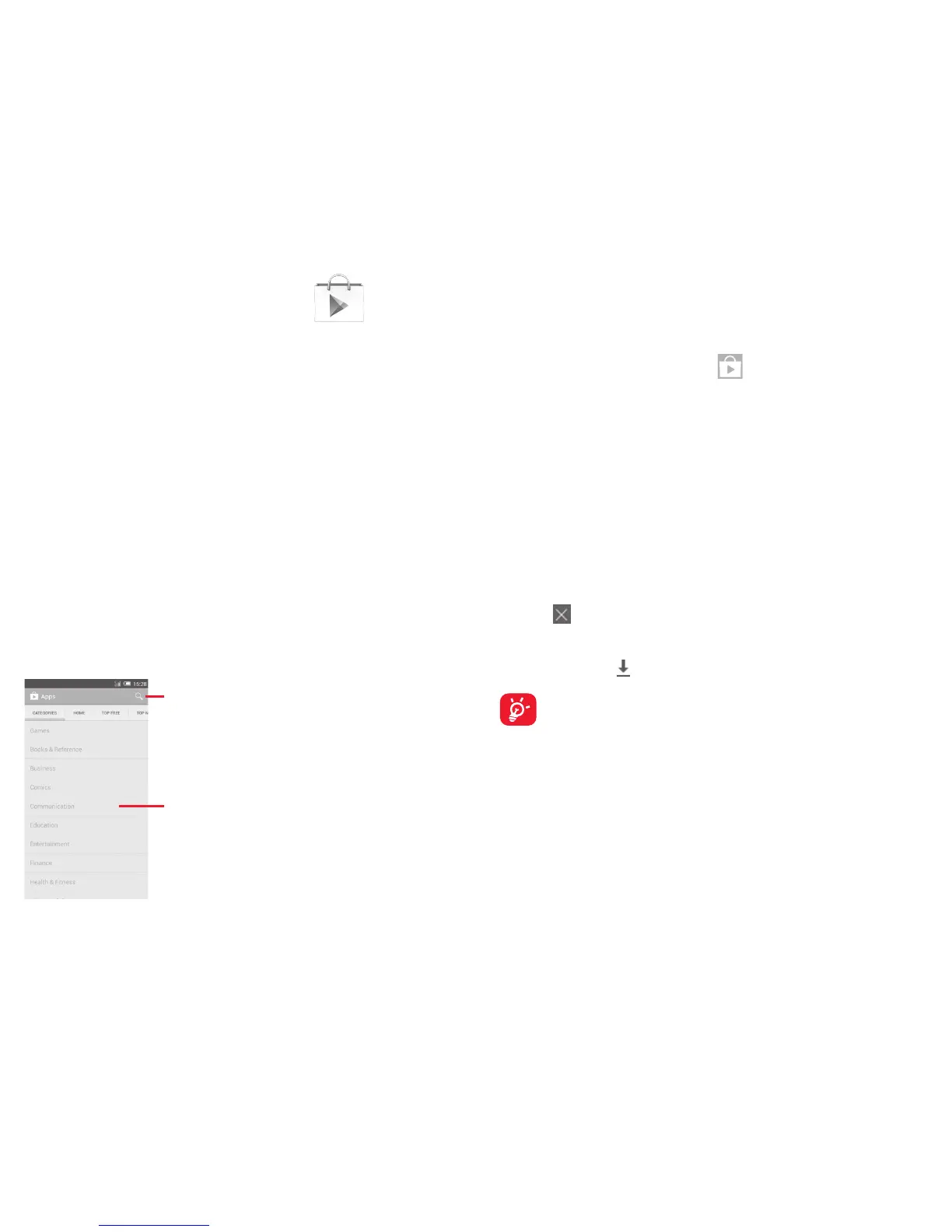
Google Play Store home page provides several ways to find
applications. It show applications and games in categorized listings.
Touch the Menu key and select My apps to see all your downloads.
Touch to search in
Google Play Store.
Slide up and down to
see all categories.
(1)
Depending on your country and operator.
Touch a category on Google Play Store screen to browse its
contents. You can also select a subcategory if there is any. Within
each category you can select to view items sorted by Top free, Top
new free, Trending, etc
Touch the Google Play Store icon
on the top left of the screen
or touch Back key to return to the previous screen.
7.2 Download and install
To download & install:
• Navigate to the item you want to download, and select to enter
the details screen from which you can read its description, overall
rating or comments, view developer’s information, etc.
• Touch Install to preview the functions and data the application can
access on your tablet if you install it.
• Touch Accept & download.
• The progress of the download will show on the details screen,
touch
to stop downloading the item. You can also access this
screen through Notificaiton panel.
• After download and installation have finished, you will see a
notification icon
on the status bar.
Be especially cautious with applications that have access to
many functions or to a significant amount of your data. Once
you accept, you are responsible for results of using this item
on your tablet.
To open the application you have downloaded:
• On Google Play Store screen, touch the Menu key and select
My apps.
• Touch the installed application in the list, then touch Open.


 To Next Page
 Loading...