EasyManua.ls Logo

Voice Caddie T11 PRO - User Manual

Voice Caddie T11 PRO
11 pages
Print Icon
To Next Page IconTo Next Page
Loading...
Quick Manual
Scan the QR code with
your smartphone to download.
If you are not connected to a Wi-Fi,
data charges may apply.
User’s Guide
Question and Answer IconNeed help?

Do you have a question about the Voice Caddie T11 PRO and is the answer not in the manual?

Summary

How to Download MyVoiceCaddie App

Golf Mode

Entering Golf Mode

Explains the two methods for activating Golf Mode on the device.

Golf Mode Screen

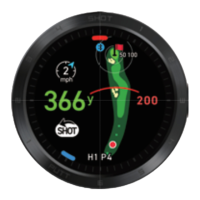
Course View and Other Displays

Describes the Course View, Putt View, and Approach View screens in Golf Mode.

Charging Cradle

Part Identification and Charging

Identifies charging cradle parts and outlines the charging process for the device.

Supported App Functions

Registered Trademarks

Regulatory Information

Product Specifications

Quality Guarantee

Precautions for Use

General Cautions

RF Exposure and Battery Safety

Discusses RF exposure compliance, portable use, and battery replacement risks.

Device Compliance and Interference

FCC Class B Digital Device Regulations

Details FCC rules for Class B devices and managing interference.

Warranty Details

Battery Duration

Provides information on the expected battery life in different modes.

Voice Caddie T11 PRO Specifications

General IconGeneral
BrandVoice Caddie
ModelT11 PRO
CategoryWatch
LanguageEnglish

Related product manuals