Need help?
Do you have a question about the volkano Vinyl Series and is the answer not in the manual?
Connect power, turn the unit on, and learn how to switch it off.
Steps to connect your Bluetooth device to the turntable for wireless audio.
Navigate between different audio modes using the 'mode' button.
Learn how to adjust the audio output level using the volume control knob.
Manage playback, track selection, and speed settings for various audio sources.
Operate FM radio features including station tuning and auto-search.
Utilize Aux input for external audio and record to USB/SD via Recording Mode.
Instructions for replacing the stylus needle and installing a new cartridge.
Solutions for common problems like Bluetooth connectivity and device pairing.
Essential safety guidelines for using the turntable and avoiding hazards.
Proper procedures for disposing of the electrical appliance responsibly.
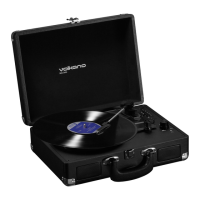
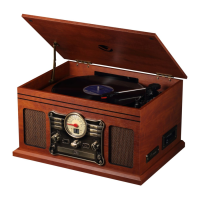
The Volkano Vintage Bluetooth Turntable, part of the Vinyl Series, is a multi-functional audio system designed for playing various media formats, including vinyl records, CDs, cassette tapes, and digital audio from USB drives and Micro SD cards, as well as FM radio and Bluetooth streaming. It features a classic wooden design with modern connectivity options, making it a versatile entertainment hub.
The core function of this device is to play audio from multiple sources. It serves as a phonograph for vinyl records, a CD player, a cassette player, an FM radio, and a digital media player via USB and Micro SD inputs. Additionally, it offers Bluetooth wireless connectivity, allowing users to stream audio from their compatible devices. The turntable supports three-speed record playback modes, accommodating different vinyl record types. It also includes a recording mode, enabling users to record audio from various sources onto a USB disk or Micro SD card. For private listening, a headphone port is provided, along with RCA outputs for connecting to external audio systems.
Powering On and Off: To power on the turntable, the user needs to press the power button until it clicks into place. The device will then power on and enter Bluetooth mode, indicated by the power LED illuminating. To turn off, the volume control should be rotated counter-clockwise until a click is heard.
Mode Selection: The turntable allows users to switch between different audio modes (USB, Micro SD card, Bluetooth, FM, Phonograph, and AUX) by short-pressing the "mode" button.
Bluetooth Pairing: Before using Bluetooth, the turntable must be paired with a Bluetooth device. With the turntable off, rotating the volume control clockwise until a click is heard will put the device into Bluetooth mode. If it doesn't automatically enter Bluetooth mode, the "Mode" button can be short-pressed to navigate to it. The LED display will show "disconnected." Users then need to open the Bluetooth menu on their device, search for "Vinyl," select it, and follow any prompts to pair. Once paired, the Retro will chime, and the LED screen will display "bt."
Volume Control: The volume can be adjusted by rotating the "volume control" knob. Rotating it clockwise increases the volume, while rotating it counter-clockwise decreases it.
Audio Control (Bluetooth, USB & Micro SD Modes): In these modes, users can navigate to the next track by short-pressing the "Next" button, go to the previous track by short-pressing the "Previous" button, and play or pause audio by short-pressing the "Play/Pause" button.
AUX Mode: An included Aux cable can be plugged into the Aux input on the control panel of the Vinyl and the other end into the device from which audio is to be played. Note that in AUX mode, only the volume can be controlled on the turntable; other audio controls must be managed on the connected device.
Recording Mode: To record, insert a USB disk or Micro SD card. Press and hold the "Mode" button until the LED display shows "REC." Click the "Mode" button again to confirm, and recording will commence. To stop recording, press the Play/Pause button or remove the tone arm from the turntable.
Replacing the Stylus Needle: To replace the stylus needle, push back the arm lock to release the tone arm. Unclip and remove the stylus needle from the cartridge, then replace it with a new one.
Installing a New Stylus Cartridge: This operation requires extreme care to avoid damaging the tone arm and audio line wires. Gently unclip the cartridge from the tone arm and carefully pull out the attached audio wires. Replace with a new cartridge, ensuring the audio wires are securely fitted, then clip the cartridge back onto the tone arm.
Troubleshooting: The manual provides guidance for common issues such as difficulty finding Bluetooth devices, pairing failures, problems playing music or answering calls via Bluetooth, and requests for new drivers when connected to a computer. For computer driver issues, it recommends finding compatible drivers online. It also clarifies that remote control of pause, play, previous, and next functions is not available in AUX mode and requires the Bluetooth device to support AVRCP (Audio/Video Remote Control Profile).
 General
| Connectivity | Bluetooth, RCA |
|---|---|
| Speeds | 33 1/3, 45 RPM |
| Cartridge | Ceramic |
| Power Supply | AC Adapter |
| Material | Plastic |
| Output | RCA |
| Type | Belt-drive turntable |
| Dimensions | 420 x 360 x 125 mm |
| Weight | 5 kg |

 To Next Page