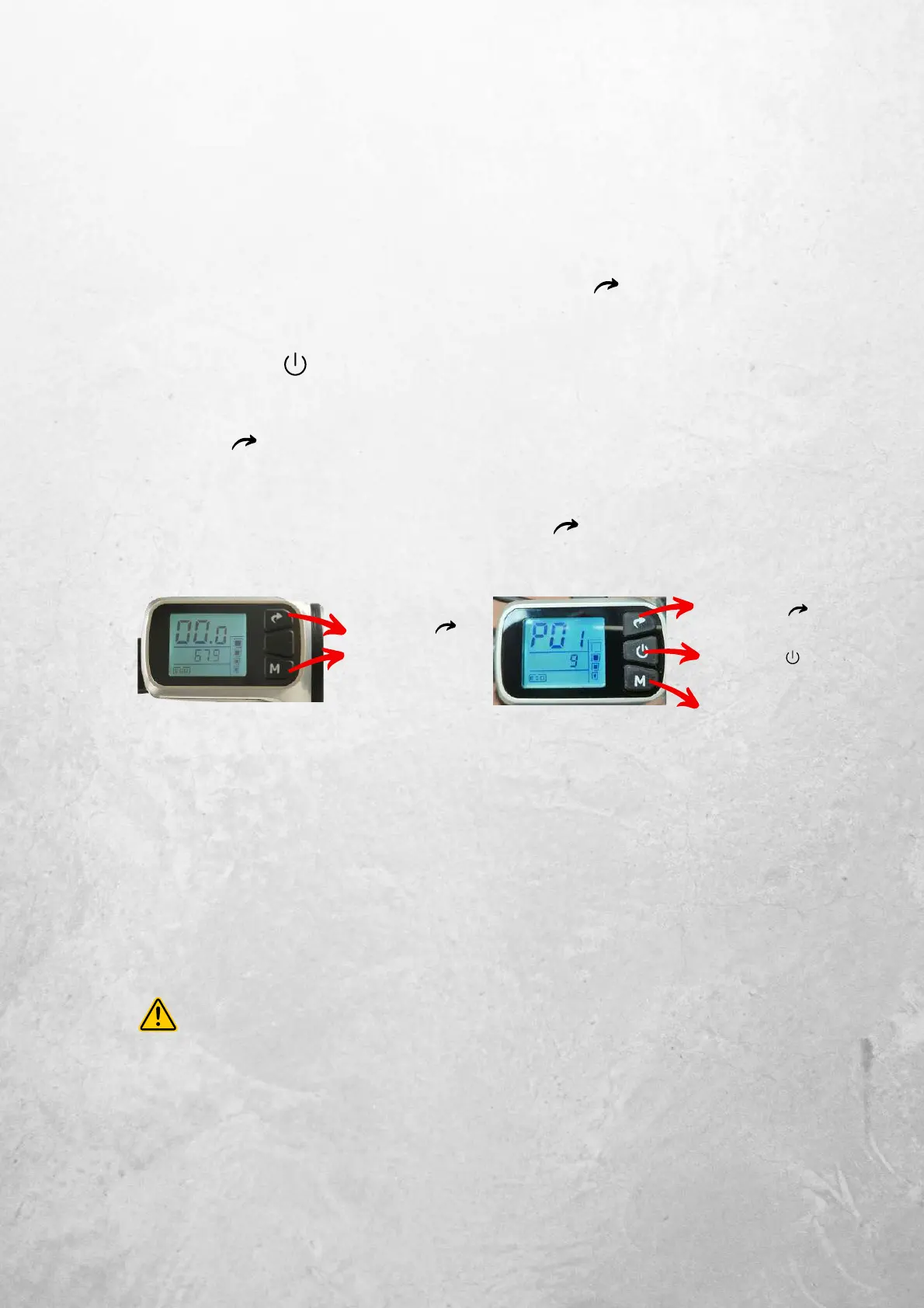
1. Entering programming mode
Simultaneously press and hold"M" &
2. Cycling through the programmes
Press to cycle through the programmes, one at a time.
3. Adjusting the setting level of the programme
Press to increment setting level by 1 and "M" to decrement setting level by 1
4. Exit & Return to Normal Display
Simultaneously press and hold"M" & again
MFD Unit - Default Display
Press & Hold &
"M" to Enter
programming mode.
Repeat to exit
programming mode.
Riding
Performance Settings (P-Settings)
The rider can adjust the performance characteristics of the scooter via the
MFD by entering the scooter's P-Settings programming mode.
MFD Unit - Progam Mode
Increase setting level by
1 by pressing
Cycle to Next Program
by pressing
Decrease setting level
by 1 by pressing "M"
P - Setting Functions
Only several programmes should be adjusted. Consult the list below:
P10 - Adjusts the limited speed in ECO MODE. (025 = 25Km/h Default)
P12 - Adjusts take off sensitivity (0 = Aggressive, 2 = Soft)
P13 - Adjusts throttle sensitivity at low speeds (0 = Aggressive, 24 = Soft)
P14 - Adjusts overall throttle sensitivity (0 = Soft, 5 = Aggressive)
P settings not listed on this manual are for workshop use only. Adjusting P
settings beyond the list can cause improper performance of the scooter.


 To Next Page