05 Infotainment system
Media player
05
* Option/accessory, for more information, see Introduction.
239
Scan
4
This function plays the first ten seconds of
each disc track/audio file. To scan:
1.
Press OK/MENU
2.
Turn TUNE to
Scan
> The first 10 seconds of each disc track
or audio file are played.
3.
Cancel the scan with EXIT, the disc track
or audio file being played back will con-
tinue playing.
Random
4
This function plays the tracks in random order.
To listen to the tracks in random order:
1.
Press OK/MENU
2.
Turn TUNE to
Random
3.
Press OK/MENU to activate/deactivate
the function.
Disc tracks/audio files can be changed by
pressing
/ on the centre console or the
steering wheel keypad*.
Repeat folder
5
This function makes it possible to play files in
a folder over and over again. When the last file
has been played out, playback of the first file
starts again.
1.
Press OK/MENU
2.
Turn TUNE to
Repeat folder
3.
Press OK/MENU to activate/deactivate
the function.
Playback of DVD video discs
1
Playback
When playing back a DVD video disc a disc
menu may appear on the display screen. The
disc menu gives access to additional functions
and settings, such as selecting subtitles, lan-
guage and scene selection.
NOTE
A video film is only shown when the car is
stationary. When the car is moving at a
speed of over about 8 km/h no picture is
shown and
No visual media available
during driving
appears on the display
screen, although the audio is heard during
this time. The picture is shown again as
soon as the car's speed falls below about 6
km/h.
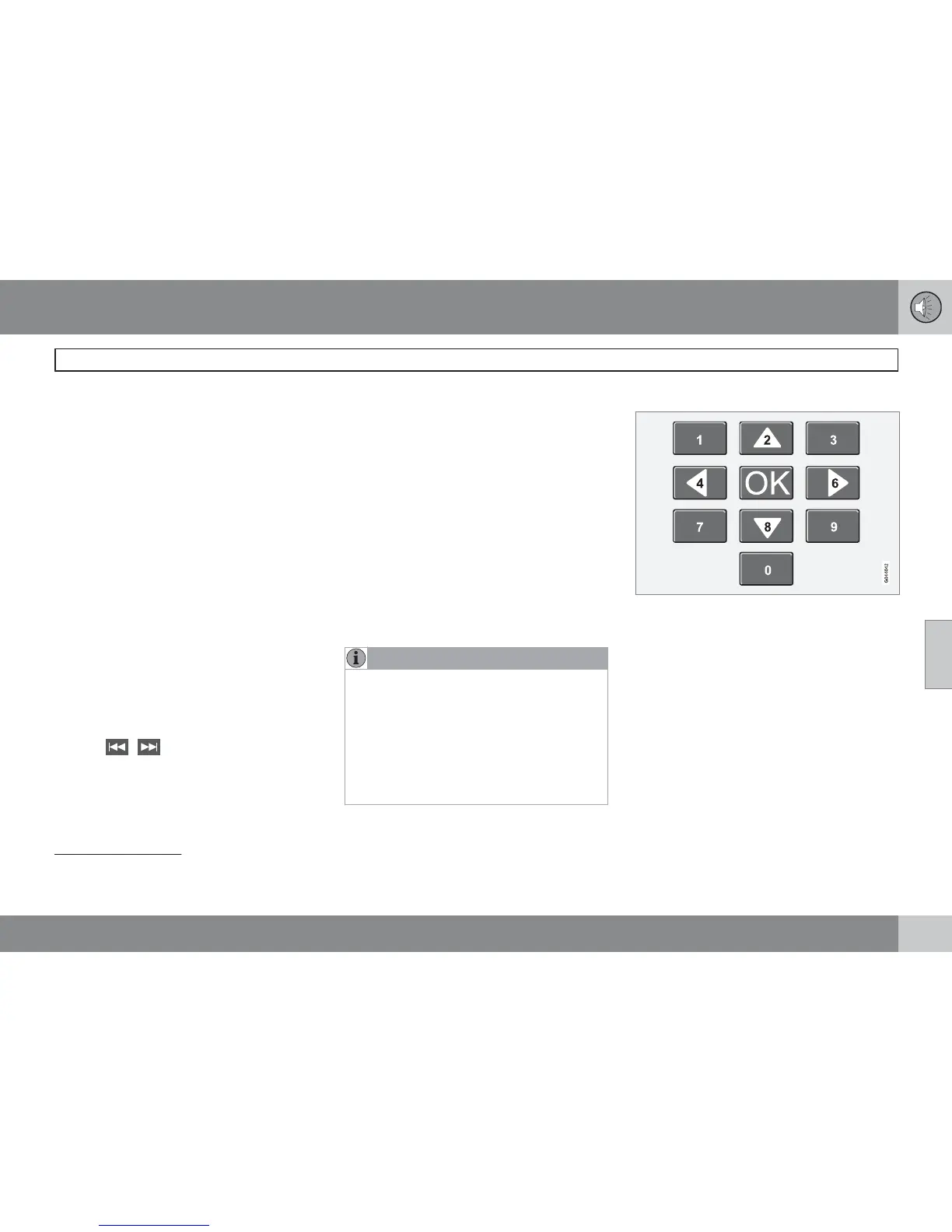
Navigation in the DVD video disc's menu
Navigation in the DVD video disc's menu is
performed using the number keys in the centre
console as illustrated above.
Changing chapter or title
Turn TUNE to access the list of chapters and
navigate through them (if the film is being
played back then it is paused). Press OK/
MENU to select the chapter, this also leads
back to the original position (if the film was
being played back then it is restarted). Press
EXIT to access the title list.
Titles are selected in the title list by turning
TUNE and the selection is confirmed with OK/
MENU, this also leads back to the chapter list.
4
Does not apply to DVD video discs.
5
Only applies to audio/video files on burned discs or USB.
1
Only applies to High Performance Multimedia and Premium Sound Multimedia.



 To Next Page