02 Locks and alarm
Remote control key/key blade
02
46
* Option/accessory, for more information, see Introduction.
Press and hold (at least 4 seconds) to open all
windows simultaneously.
The function can be changed from unlocking
all doors simultaneously, to unlocking the driv-
er's door only with one press of the button and,
after a further press of the button - within 10
seconds - unlocking the remaining doors.
The function can be changed in the menu sys-
tem MY CAR under Settings
Car settings
Lock settings Doors unlock with both
the alternatives
All doors and Driver door,
then all
. For a description of the menu system,
see page 144.
Approach light duration – Used to switch
on the car's lighting at a distance. For more
information, see page 91.
Boot lid – Unlocks and disarms the alarm
for the boot lid only. For more information, see
page 56.
Panic function – Used to attract attention
in an emergency.
Press and hold the button for at least 3 sec-
onds or press it twice within 3 seconds to acti-
vate the direction indicators and the horn.
The function can be turned off with the same
button once it has been active for at least
5 seconds. Otherwise the function switches off
automatically after 2 minutes and 45 seconds.
Range
The remote key's functions have a range of
about 20 m from the car.
If the car does not verify a button being pressed
- move closer and try again.
NOTE
The remote control key functions can be
disrupted by surrounding radio waves,
buildings, topographical conditions etc. The
car can always be locked/unlocked using
the key blade, see page 47.
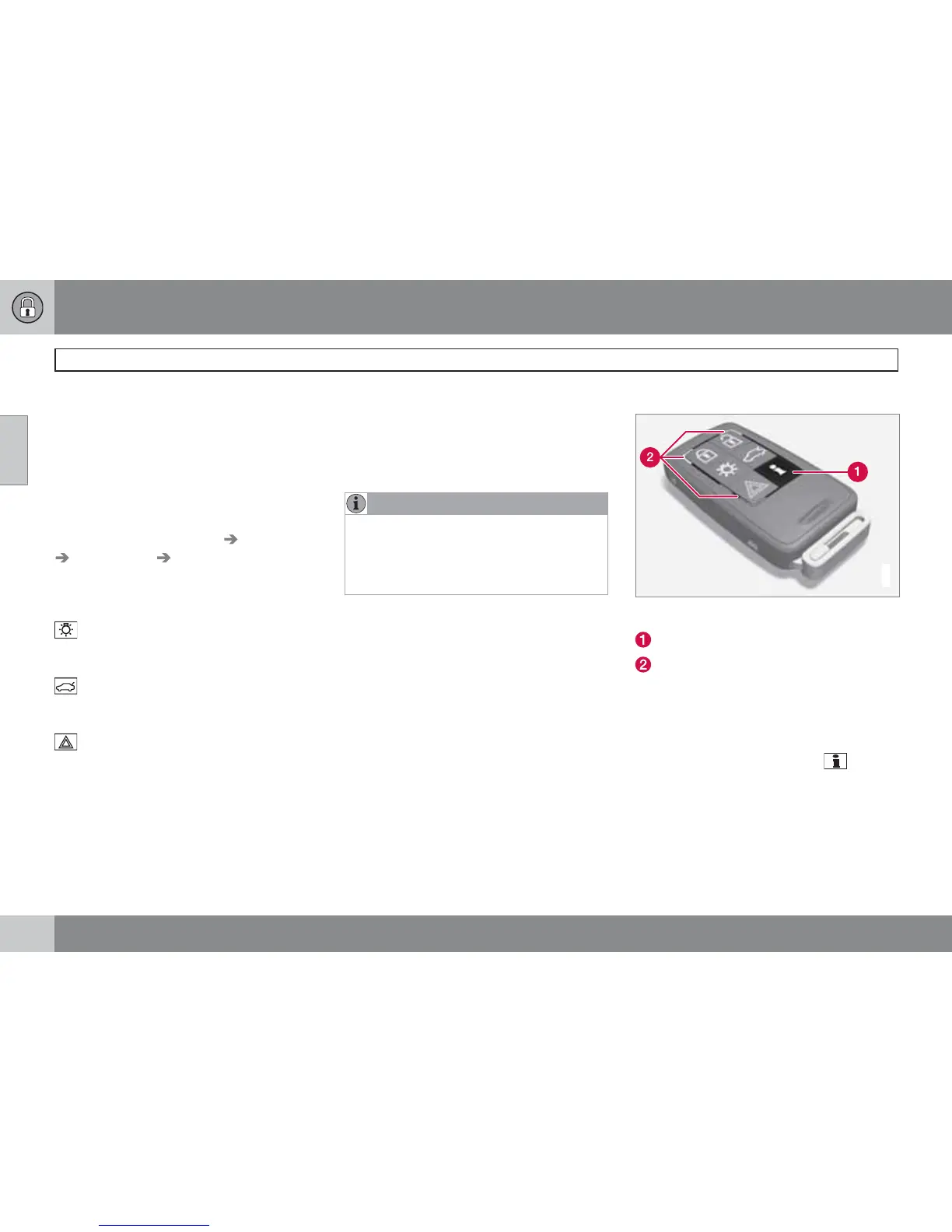
Unique PCC functions*
G021080
Remote control key with PCC* - Personal Car
Communicator.
Information button
Indicator lamps
Using the information button enables access to
certain information from the car via the indica-
tor lamps.
Using the information button
–
Press the information button
.
> All indicator lamps flash for approxi-
mately 7 seconds and the light travels
around on the PCC. This indicates that
information from the car has been read.



 To Next Page