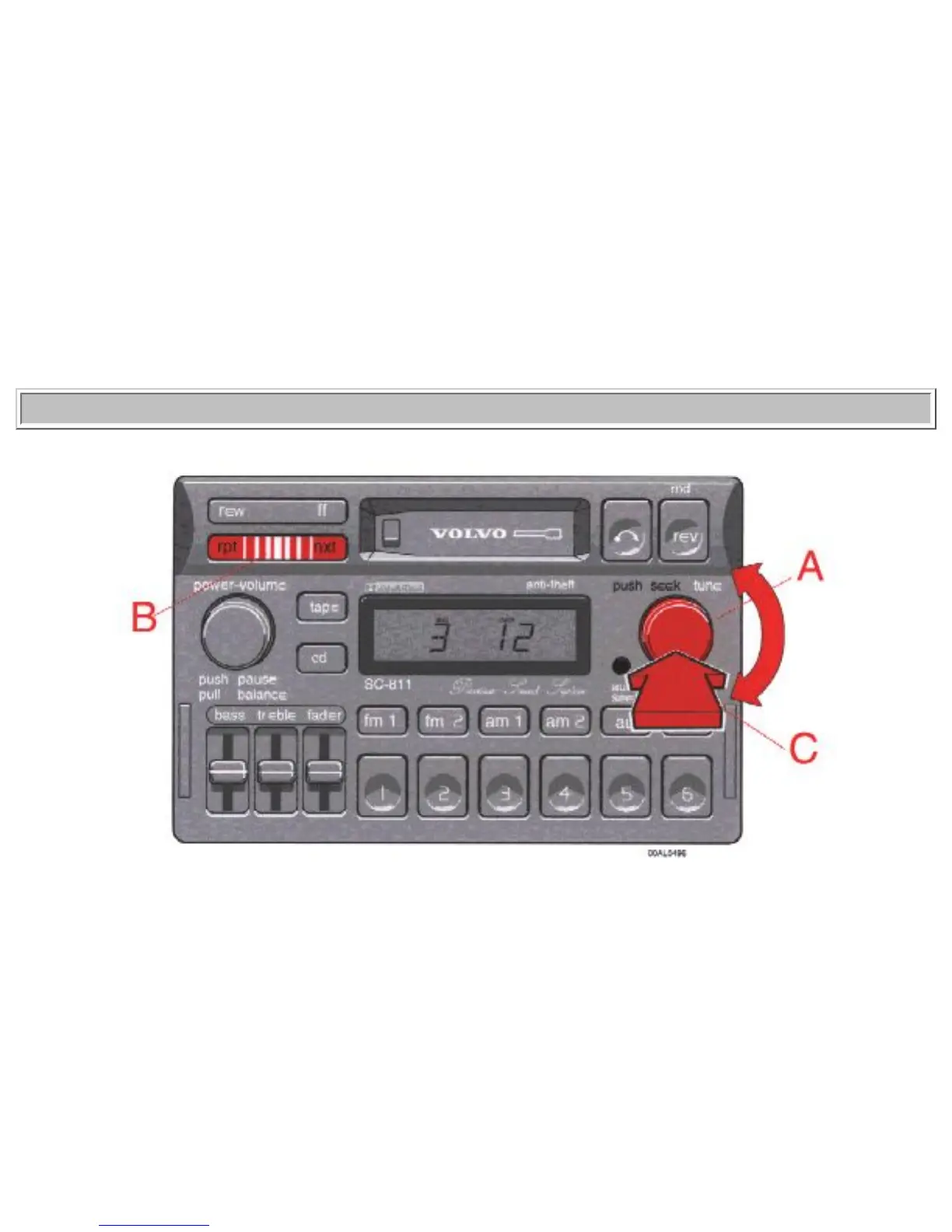
B - Disc number selector
Depress one of the preset buttons (1-6) to select the disc number desired. The selected disc number and
track number will be displayed.
C - Music search
Press the "rew" or "ff" button to search within a track. While the button is depressed the playing time for
this track will be displayed.
pg. 1:40 CD - Remote (certain models)
A - Track number selector
Turn the knob to select the track number desired.
B - Changing the selected track number
Press "nxt" for forward selection or "rpt" for backward selection. The chosen disc number and track


 To Next Page