Press the " " or " " button to search within a track. While the button is depressed the playing
time for this track will be displayed.
pg. 1:55 CD - Remote (certain models)
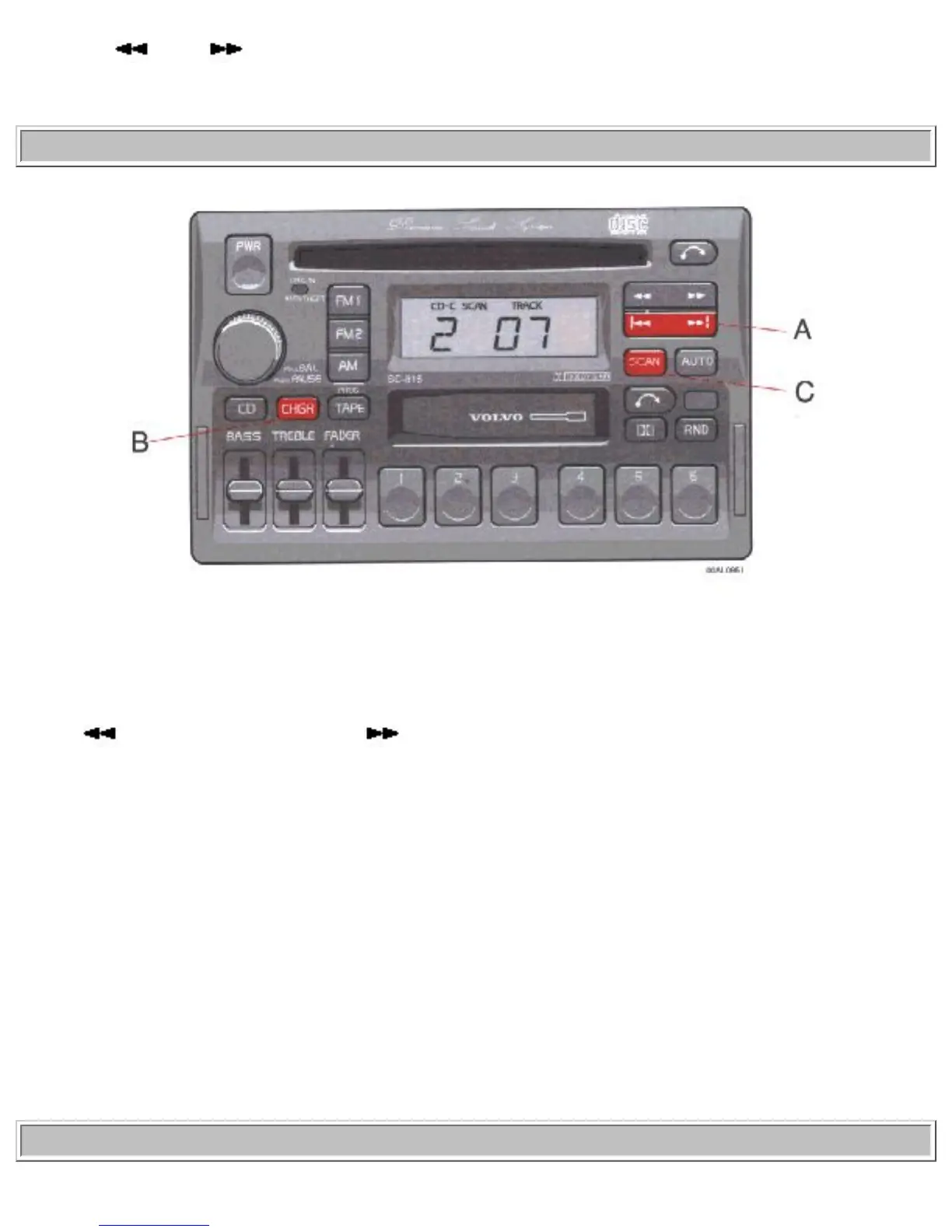
A - Changing the selected track number
Press "
" for forward selection or " " for backward selection. The chosen disc number and track
number will be displayed.
B - Playing-time display
When the "CHGR" button is pressed the playing time for current track is displayed for 5 seconds.
C - Scan
Press this button to listen to the first ten seconds of each track. Press it again to stop scanning.
pg. 1:56 CD - Remote (certain models)
file:///K|/ownersdocs/1996/1996_960/96960_151.htm (6 of 11)12/30/2006 10:12:43 AM


 To Next Page