pg. 28 Trip computer (certain models)
Trip computer
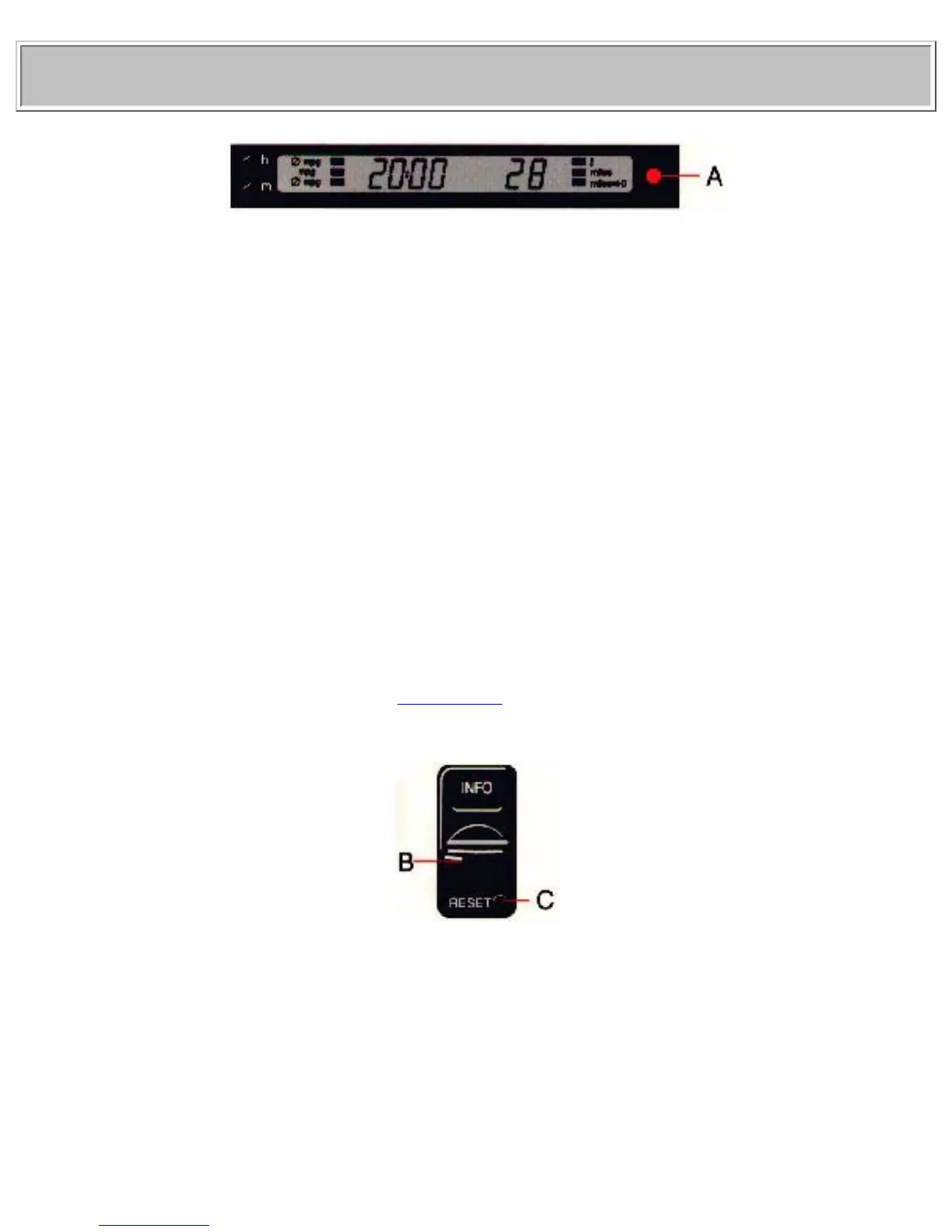
The trip computer offers six functions which are presented in a single display. The cursor indicates the
selected function. The trip computer's clock is shown permanently in the left-hand field. Refer to the
previous page for more detailed information regarding the clock function.
The following data is monitored by the computer:
● Average speed
● Current fuel consumption
● Average fuel consumption
● Ambient temperature*
● Tripmeter
● Driving distance on current fuel reserve
* Warning light A in the illustration above.
See page 30 for more details.
Trip computer controls
Select one of the trip computer's six functions by using control B. The Reset button (C) is used to reset
the following functions:
● Average speed
● Average fuel consumption
file:///K|/ownersdocs/1999/1999_SV70/99sv70_027.htm (2 of 5)12/30/2006 3:36:49 PM


 To Next Page