DISPLAYS AND VOICE CONTROL
* Option/accessory.
83
Driver display settings
Settings for the driver display's display options
can be made via the driver display's application
menu and via the centre display's settings menu.
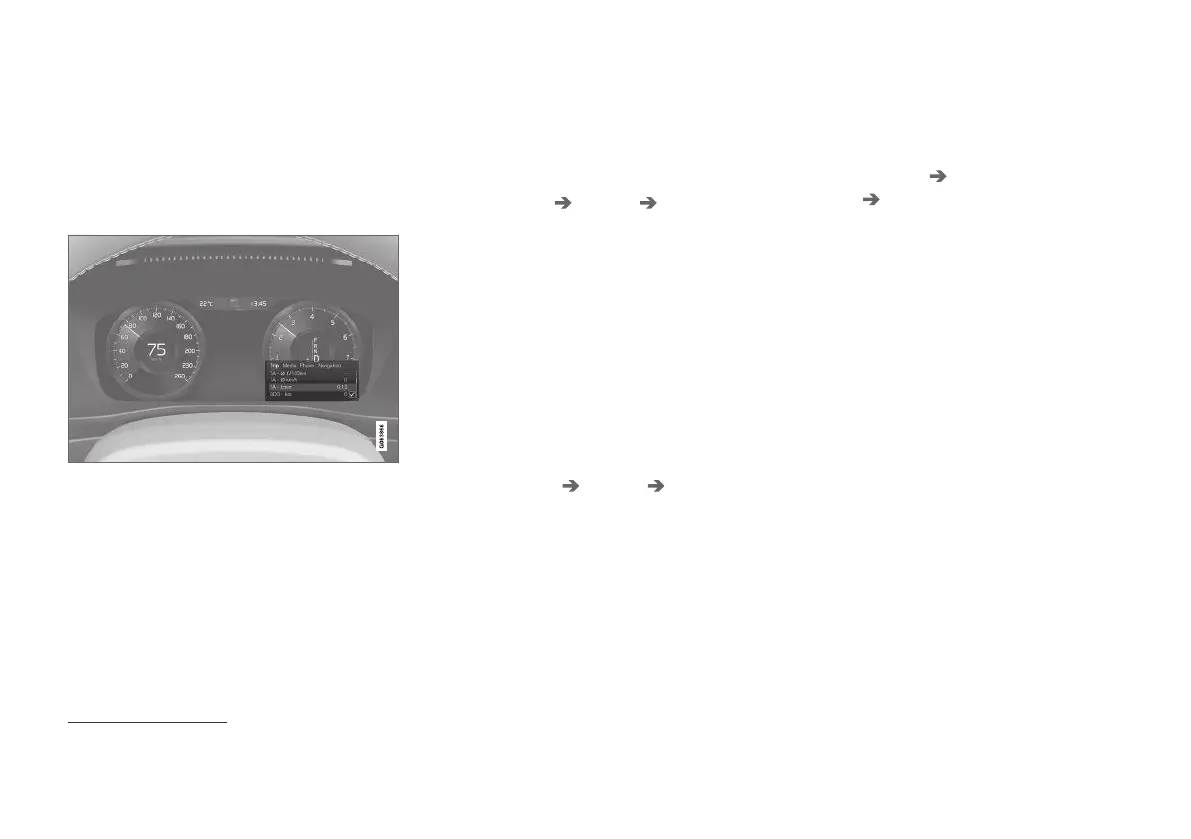
Settings via the driver display's app
menu
The figure is schematic - parts may vary depending on
car model.
The app menu is opened and controlled using
the right-hand keypad on the steering wheel.
In the app menu, you can choose which informa-
tion is shown on the driver display from
•
Trip computer
•
media player
•
phone
•
navigation system*.
Settings via the centre display
Selecting information type
1.
Tap on
Settings in the centre display's top
view.
2. Press
My Car Displays Driver
Display Information
.
3. Select what should be shown in the back-
ground:
•
Show no information in background
•
Show information for current playing
media
•
Show navigation even if no route is
set
1
Selecting theme
1.
Tap on
Settings in the centre display's top
view.
2. Tap on
My Car Displays Display
Themes
.
3. Select a theme (appearance) for the driver
display:
•
Glass
•
Minimalistic
•
Performance
•
Chrome Rings
Selecting language
1.
Tap on
Settings in the centre display's top
view.
2. Tap on
System System Languages and
Units
System Language to select lan-
guage.
> A change will affect the language in all
displays.
These settings are personal and are saved auto-
matically to the active driver profile.
Related information
•
Driver display (p. 79)
•
Handling the application menu in the driver
display (p. 100)
•
Other settings in the centre display's top
view (p. 128)
1
The 12-inch* driver display shows the map, the 8-inch driver display only shows guidance.



 To Next Page