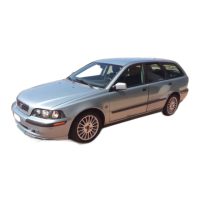
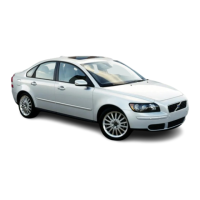
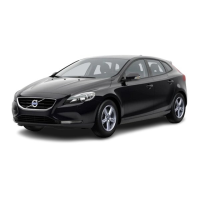
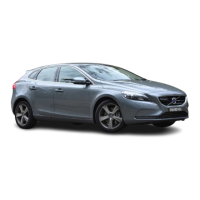
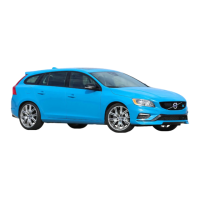
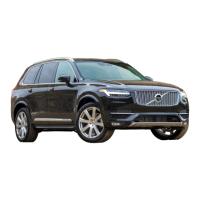
This document provides a comprehensive guide to various Volvo vehicles, focusing on their features, usage, and maintenance. It begins with an index outlining the different vehicle models covered and their corresponding page numbers, along with details on seating capacity and door configurations.
Electronic Parking Brake (EPB)
The Electronic Parking Brake (EPB) is a key safety feature designed to prevent the vehicle from accidentally rolling away. It operates electronically and offers several advantages over a traditional mechanical handbrake. The EPB system is designed to automatically engage when the vehicle is switched off, and it can also be manually engaged or disengaged.
- Function Description: The EPB system automatically applies the parking brake when the vehicle is switched off, or when the driver manually engages it. It can be released automatically when the driver accelerates or manually by pressing the EPB button.
- Usage Features:
- Activation: To activate, pull the EPB switch up. The indicator lamp in the switch and the instrument panel will light up.
- Deactivation: To deactivate, press the EPB switch. The indicator lamps will turn off. If the EPB is engaged while driving, the vehicle will brake gently.
- When Driving Away: The EPB will automatically release when the driver accelerates, provided the seatbelt is fastened and the gear selector is in D or R.
- Automatic Release: The EPB will automatically release when the vehicle starts moving, preventing unintended braking.
- Manual Release: The EPB can be manually released by pressing the switch, provided the ignition is on and the brake pedal is depressed.
- Important Technical Specifications: The EPB system is integrated with the vehicle's electronic control unit and operates via electric motors at the rear wheels.
- Maintenance Features: If the EPB system malfunctions, a warning message will appear in the instrument panel. It is recommended to contact a Volvo workshop for inspection and repair.
Deadlocks
Deadlocks are a security feature that prevents the doors from being opened from the inside once the vehicle is locked from the outside. This feature enhances security by making it more difficult for unauthorized entry, even if a window is broken.
- Function Description: When deadlocks are activated, the interior door handles are disengaged, making it impossible to open the doors from the inside.
- Usage Features: Deadlocks are typically activated when the vehicle is locked using the remote control. A warning message will appear in the instrument panel if deadlocks are active and someone is still inside the vehicle.
- Maintenance Features: If the deadlock system malfunctions, a warning message will appear. Contact a Volvo workshop for assistance.
Seatbelt Warning Lights
The seatbelt warning lights alert occupants to fasten their seatbelts. This system is crucial for safety, as it reminds all passengers to use their seatbelts, which significantly reduces the risk of injury in the event of a collision.
- Function Description: The warning lights illuminate when the engine is turned on and remain lit until all seatbelts are fastened. An audible warning may also sound if a seatbelt is unfastened while driving.
- Usage Features: The system automatically detects whether seatbelts are fastened for all seats, including the rear seats.
- Maintenance Features: If a seatbelt warning light malfunctions, it may indicate a problem with the seatbelt sensor or wiring. Contact a Volvo workshop for inspection.
Warning Lights and What They Mean
The vehicle's instrument panel displays various warning lights that indicate the status of different systems and potential issues. Understanding these warnings is crucial for safe operation and timely maintenance.
- Function Description: The warning lights illuminate to indicate a specific condition or problem. Some lights are informational, while others signify a critical issue requiring immediate attention.
- Usage Features:
- Red Lights: Indicate a serious problem that requires immediate attention. It is recommended to stop the vehicle safely and contact a Volvo workshop.
- Yellow/Orange Lights: Indicate a less critical issue that may require attention soon. It is advisable to contact a Volvo workshop for diagnosis and repair.
- Green Lights: Indicate that a system is operating normally.
- Maintenance Features: Regular checks of the warning lights during vehicle startup can help identify potential issues early.
Driving Restrictions and/or Conditions
This section outlines important considerations related to driving in various conditions, including road regulations, weather, and vehicle load. Adhering to these guidelines ensures safe operation and compliance with legal requirements.
- Function Description: Provides guidance on safe driving practices under different circumstances, including maximum speeds, load distribution, and specific road conditions.
- Usage Features:
- Built-up Area: Specifies maximum speed limits for urban environments (e.g., 30 mph).
- Single Carriageway: Specifies maximum speed limits for single carriageway roads (e.g., 60 mph).
- Motorway: Specifies maximum speed limits for motorways (e.g., 70 mph).
- Load Distribution: Emphasizes the importance of proper load distribution to maintain vehicle stability and handling.
- Important Technical Specifications: The vehicle's design and engineering comply with all applicable Road Traffic Regulations.
- Maintenance Features: Regular vehicle inspections and maintenance are crucial to ensure the vehicle remains compliant with road regulations and safe to operate under all conditions.
This section provides general information applicable to various Volvo models, including controls, fuel, and useful information about the vehicle.
Controls
The control panel in Volvo vehicles is designed for intuitive operation, allowing drivers to easily access various functions.
- Function Description: Describes the location and function of various controls, including heating & ventilation, hazard lights, light switch, headlights, fog lights, indicators, wipers, screen washers, horn, rear screen heated, and starter key slot.
- Usage Features:
- Heating & Ventilation: Controls for adjusting cabin temperature and airflow.
- Hazard Lights: Activates all turn signals simultaneously to warn other drivers of a hazard.
- Light Switch: Controls exterior lighting, including headlights and parking lights.
- Headlights: Provides illumination for driving in low-light conditions.
- Fog Lights: Enhances visibility in foggy or misty conditions.
- Indicators: Signals turns or lane changes.
- Wipers: Cleans the windshield.
- Screen Washers: Sprays washer fluid onto the windshield for cleaning.
- Horn: Used to alert other road users.
- Heated Rear Screen: Clears mist or ice from the rear window.
- Starter Key Slot: Where the key is inserted to start the vehicle.
- Maintenance Features: Regular checks of all controls ensure they are functioning correctly.
Fuel
Proper fuel usage is essential for optimal vehicle performance and longevity.
- Function Description: Provides guidance on the correct type of fuel to use and information on fuel tank capacity.
- Usage Features:
- Fuel Type: Specifies the recommended fuel type (e.g., unleaded petrol). Using the correct fuel prevents engine damage and ensures efficient operation.
- Fuel Tank Capacity: Indicates the volume of fuel the tank can hold.
- Important Technical Specifications: The fuel system is designed to operate with specific fuel types.
- Maintenance Features: Regular fuel filter replacement and checks of the fuel system are important for maintenance.
In Case of Breakdown
This section provides essential information on what to do in the event of a breakdown, emphasizing safety and emergency procedures.
- Function Description: Offers advice on how to handle a breakdown safely and effectively.
- Usage Features:
- Hazard Lights: Activate hazard lights to warn other road users.
- Emergency Phone Number: Provides contact information for emergency services or roadside assistance.
- Maintenance Features: Regular vehicle maintenance can help prevent breakdowns.
Child Seats
Proper installation and use of child seats are critical for the safety of child passengers.
- Function Description: Emphasizes the importance of using a child seat that is appropriate for the child's weight and height, and ensuring it is correctly fitted.
- Usage Features:
- Child Seat Placement: Provides guidance on where to install child seats in the vehicle.
- Seatbelt Positioning: Ensures the seatbelt is correctly positioned for child safety.
- Maintenance Features: Regularly check child seats for wear and tear and ensure they are properly installed.
Driver's Seat
The driver's seat is designed for comfort and optimal driving position.
- Function Description: Describes the adjustability of the driver's seat to accommodate different drivers.
- Usage Features:
- Tilt: Adjusts the angle of the seat.
- Legroom: Adjusts the distance between the seat and the pedals.
- Height: Adjusts the vertical position of the seat.
- Maintenance Features: Regular cleaning and inspection of the seat mechanisms ensure smooth operation.
This section covers various operational aspects and features of the vehicle, including locking mechanisms, anti-theft systems, and window controls.
This comprehensive guide aims to provide Volvo owners with the necessary information to operate and maintain their vehicles safely and efficiently. For any further assistance or in case of emergencies, contact a Volvo workshop or the dedicated helpline.

 Need help?
 General

 To Next Page