RESET
Vonage Blue
Ethernet Cable
Your
Ethernet Cable
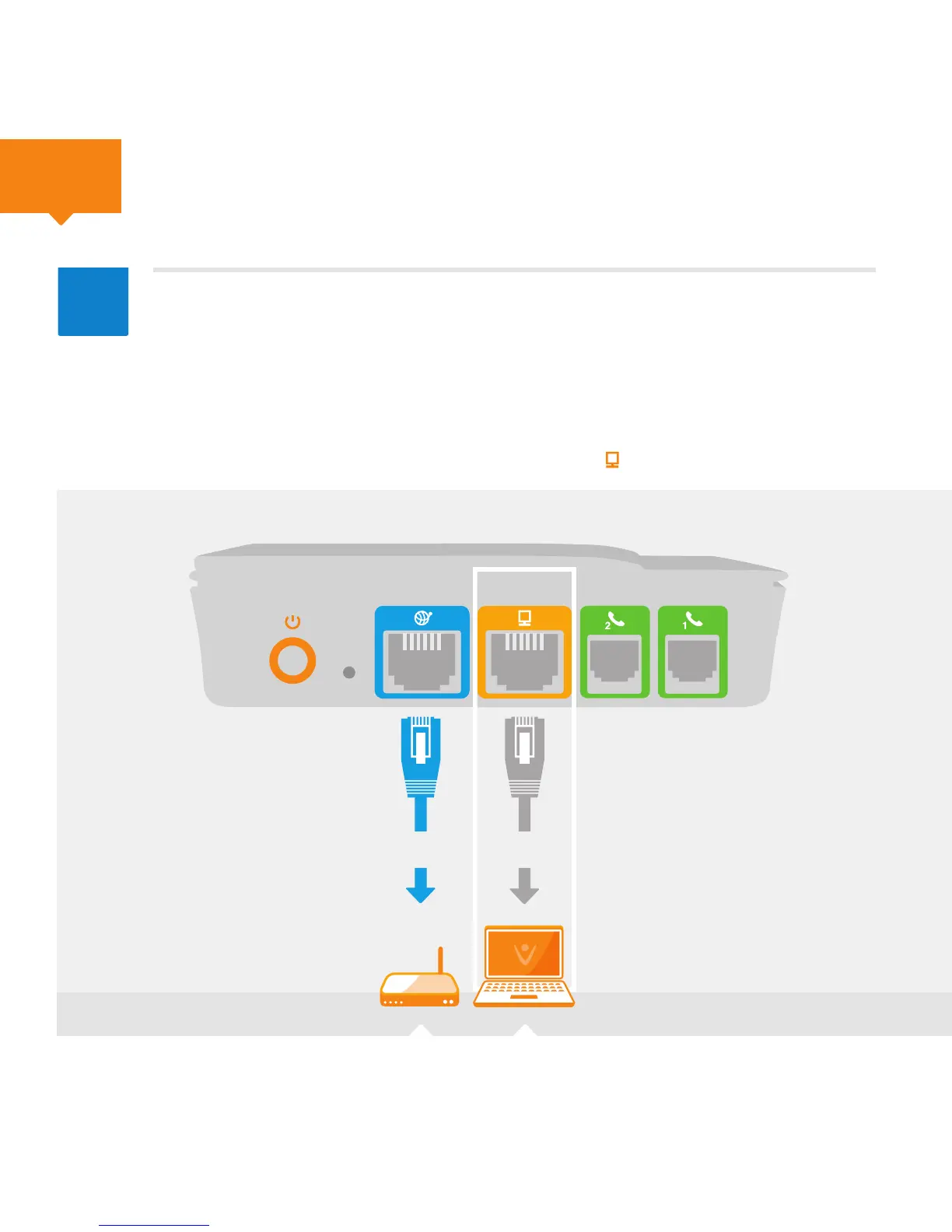
Power Internet Ethernet Phone
1
Phone
2
5
3
Router Computer
A
If you do not have an available Ethernet port on your router, remove your
computer’s Ethernet cable from your router’s Ethernet port, and connect
it to the yellow port on the back of the Vonage Box
TM
. Then connect the
supplied blue Ethernet cable to the blue port on the Vonage Box
TM
and
connect the other end to the open Ethernet port on your router. Listen
for the click to ensure that the cable is rmly in place. After you have powered
up the Vonage Box in Step 5, your computer light will turn on.
Continued



 To Next Page