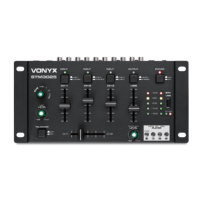
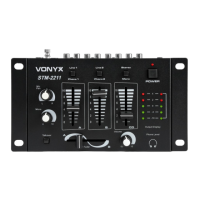
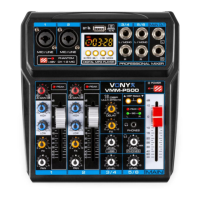
5
20. Power supply
Connect the supplied power adapter AC12Volt.
21. Phones Input
Connect your headphones with a 6.35mm stereo jack (output signal is main mix).
22. Master Output
Adjust the overall output level of the mixer.
23. Line 4 Input
Line input connector for the audio input source e.g. mixer, CD player, etc.
24. Line 3 Input
Line input connector for the audio input source e.g. mixer, CD player, etc.
25. Line / Phone 2 Input
Line input connector for the audio input source e.g. mixer, CD player, etc.
26. Line / Phone 1 Input
Line input connector for the audio input source e.g. mixer, CD player, etc.
27. Microphone input 1
6.3mm ¼” input jack for connecting a microphone.
28. Microphone input 2
6.3mm ¼” input jack for connecting a microphone.
USB/MP3/BT-PLAYER
Mode
This button let you select the mode of USB channel. The two (green/red) mode LEDS will indicate the actual device status.
Press the MODE button several times to step to your desired function.
Mode BT LED REC LED
USB Play mode On OFF
Bluetooth mode
Connection search Flash Off
Connecting On On
Record mode
Ready On Flash
Recording Off Flash
Play On Off
USB
Press MODE button until status LEDs display BT LED=ON/REC LED=OFF. The USB storage device (USB stick) is placed into
USB socket. The player is ready to work.
Press for switching between play and pause the music.
Press shortly for select next or previous song or press and hold for more than 3 seconds for fast forward or
backward.
Bluetooth
Press MODE button until LEDs display BT LED =FLASH/ REC LED =OFF. The Bluetooth player is searching for a connection. If
the device which already had a connection in the past is still active, the connection will be made and LEDs change to ON/ON.
The Bluetooth player is now ready to work.
For first connection use your Bluetooth player (e.g. smartphone) and search for „STM3025“. In BT mode PLAY/ PREV/NEXT
functions can be used on DJ-Mixer or on your Bluetooth device to control.
Press for switching between play and pause the music.
Press shortly for select next or previous song or press and hold for more than 3 seconds for fast forward or
backward.
Record
Put the USB storage device (USB stick) into USB port. Press MODE button until status LEDs display BT LED =Off/ REC LED
=FLASH. Mixer is ready for record. Press any player button for stop the recording.


 To Next Page
 Loading...