9. REPEAT
Press this button to repeat the selected track or to repeat all tracks.
10. PREVIOUS TRACK
Press this button to play the previous track.
11. NEXT TRACK
Press this button to play the next track.
12. HEADPHONE VOLUME CONTROL
Turn this knob to adjust the volume of the headphones.
13. HEADPHONE INPUT
Headphone input 6.35mm.
14. SIGNAL SELECTOR
Press this button to monitor the CH1 or CH2 output.
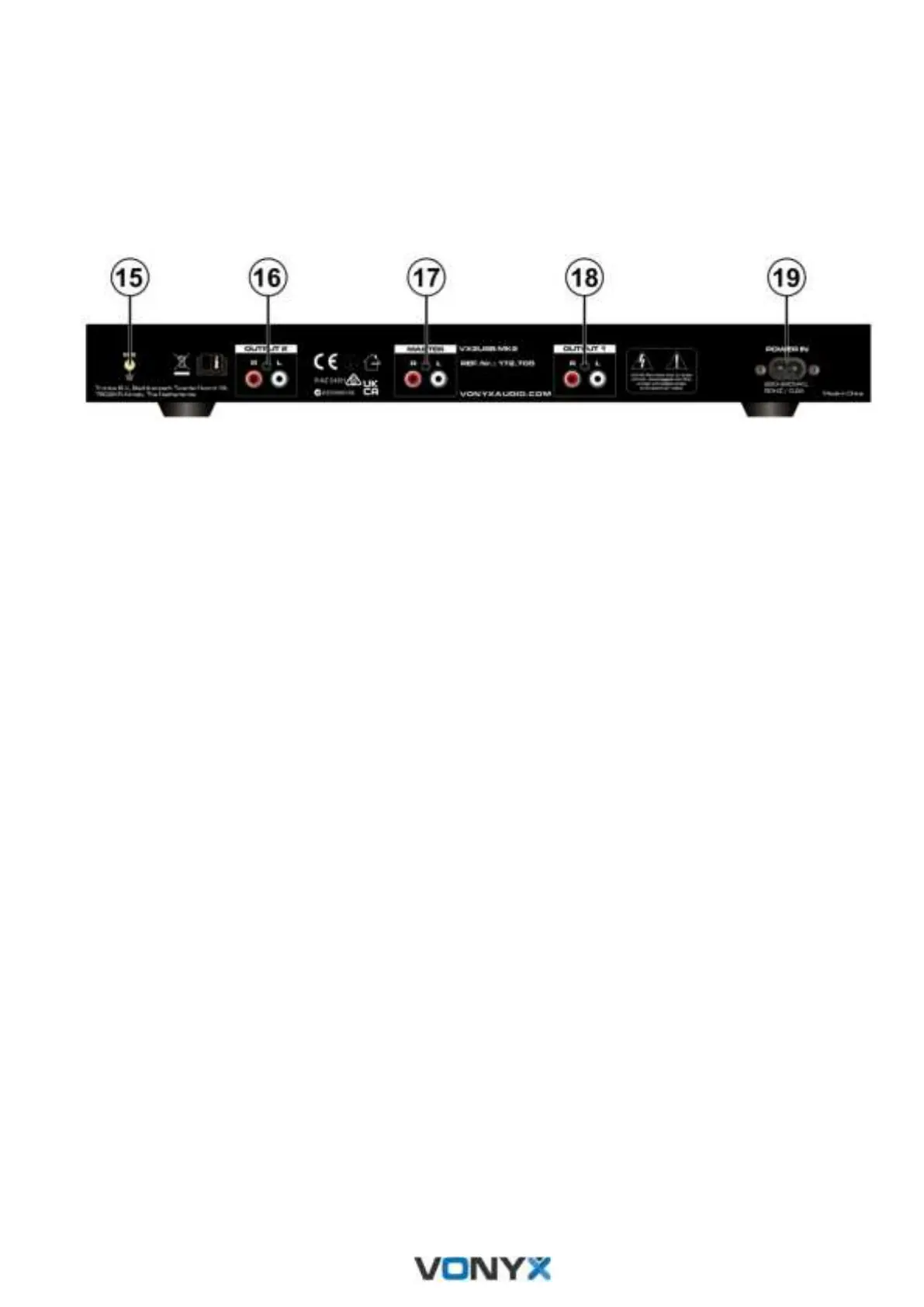
15. GROUND
Ground screw.
16. CHANNEL 2 AUDIO OUTPUT
Connect with RCA cables for Channel 2 output.
17. MIXER AUDIO OUTPUTS
Connect with RCA cables for channel 1 & channel 2 mixed output.
18. CHANNEL 1 AUDIO OUTPUTS
Connect with RCA cables for Channel 1 output.
19. POWER SOCKET
Make sure to connect the power supply to the suitable power.


 To Next Page